



Theme
Language

Layout
Skip to content
View in the app

A better way to browse. Learn more.

ZeiGames

A full-screen app on your home screen with push notifications, badges and more.

To install this app on iOS and iPadOS
  1. Tap the Share icon in Safari
  2. Scroll the menu and tap Add to Home Screen.
  3. Tap Add in the top-right corner.
To install this app on Android
  1. Tap the 3-dot menu (โ‹ฎ) in the top-right corner of the browser.
  2. Tap Add to Home screen or Install app.
  3. Confirm by tapping Install.

LEGO Batman: The Videogame Free Download (Build 19129138)
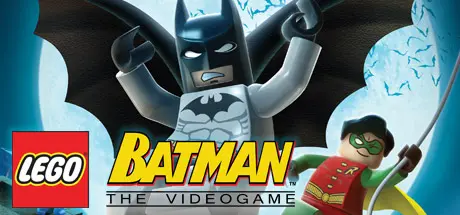
LEGO Batman: The Videogame

Featured Replies

LEGO Batman: The Videogame cover art

LEGO Batman: The Videogame Game Details

Release Name:ย LEGO Batman: The Videogame

Game Version:ย Build 19129138

Release Date: 29 Sep, 2008

Publisher: Warner Bros. Interactive Entertainment

Developer: Traveller's Tales

Based On:ย CSF & Steamless

LEGO Batman: The Videogame Direct Download - Game Overview

When all the villains in Arkham Asylum team up and break loose, only the dynamic duo is bold enough to take them on to save Gotham City. The fun of LEGO, the drama of Batman and the uniqueness of the combination makes for a comical and exciting adventure in LEGO Batman: The Videogame. Play as Batman and his sidekick Robin as you build, drive, swing and fight your way through Gotham City capturing escaped villains including The Joker, Penguin, Scarecrow and more. Then, jump into the story from the other side and play as Batmans foes! Enjoy the power you wield and battle Batman while spreading chaos throughout the city. There is no rest for the good (or evil!).


LEGO Batman: The Videogame Screenshots

LEGO Batman: The Videogame screenshot 1 LEGO Batman: The Videogame screenshot 2 LEGO Batman: The Videogame screenshot 3 LEGO Batman: The Videogame screenshot 4


LEGO Batman: The Videogame Trailer


LEGO Batman: The Videogame System Requirements

Minimum Requirements

Recommended Requirements

OS

Windows Vistaยฎ/XP

-

Processor

Intelยฎ P3 1.5 GHz or AMD Athlonโ„ข XP

-

Memory

256 MB RAM, 512 MB RAM required for Windows Vistaยฎ

-

Graphics

128 MB with Shader Model 2.0 capability (Shader Model 3.0 recommended)

-

DirectX

-

-

Storage

-

-


How to Install LEGO Batman: The Videogame

  1. No Installation Needed: The game is pre-installed. Just download and extract.

  2. Extract: Right-click the .zip or .rar file and select "Extract Here" or "Extract to folder".

  3. Run: Find LEGOBatman.exe inside the folder and run it.

Game Data & Settings

  • Save Data Location: %USERPROFILE%/AppData/Local/Warner Bros. Interactive Entertainment/LEGO Batman/Saved Games

Important Notes

๐Ÿ”ฅDOWNLOAD AREA๐Ÿ”ฅ

๐Ÿ”น3.96 GB๐Ÿ”น

Select the server you want to download with ZeiLink.

Download

  • Views 100
  • Created
  • Last Reply

Posted Images

Create an account or sign in to comment

Recently Browsing 0

  • No registered users viewing this page.

Account

Navigation

Search

Search

๐Ÿ”Ž Search Tip
For exact results, search using "game name" .
Without quotes, results may include unrelated titles.

Configure browser push notifications

Chrome (Android)
  1. Tap the lock icon next to the address bar.
  2. Tap Permissions โ†’ Notifications.
  3. Adjust your preference.
Chrome (Desktop)
  1. Click the padlock icon in the address bar.
  2. Select Site settings.
  3. Find Notifications and adjust your preference.
