



Theme
Language

Layout
Skip to content
View in the app

A better way to browse. Learn more.

ZeiGames

A full-screen app on your home screen with push notifications, badges and more.

To install this app on iOS and iPadOS
  1. Tap the Share icon in Safari
  2. Scroll the menu and tap Add to Home Screen.
  3. Tap Add in the top-right corner.
To install this app on Android
  1. Tap the 3-dot menu (โ‹ฎ) in the top-right corner of the browser.
  2. Tap Add to Home screen or Install app.
  3. Confirm by tapping Install.

Phantom Brave PC Free Download (v1.23 + Digital Art Book DLC)
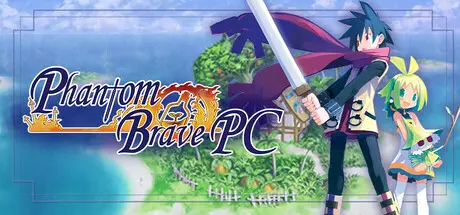
Phantom Brave PC

Featured Replies

Phantom Brave PC cover art

Phantom Brave PC Game Details

Release Name:ย Phantom Brave PC

Game Version:ย v1.23 | Build 16763670

Release Date: 25 Jul, 2016

Publisher: NIS America, Inc.

Developer: Nippon Ichi Software, Inc., PH3 GmbH

Based On:ย CSF & Goldberg

Phantom Brave PC Direct Download - Game Overview

~The DEFINITIVE edition! Includes all Phantom Brave: The Hermuda Triangle and Phantom Brave: We Meet Again content!~

On a small, lonely island in Ivoire lives Ash, a Phantom who lost his life in battle, and Marona, who has the ability to communicate with Phantoms. Sometimes, Marona receives Bottlemails that float along the sea.

Marona, who lost her parents when she was very young, makes her living by completing the requests inside the Bottlemails as a Chroma, a person who accepts freelance work to solve problems for people. However, because of her abilities, the people call her the "Possessed." Even if she completes her work, some clients will hesitate to pay her the reward because of her reputation.

Still, Marona stays optimistic and follows what her parents told her long ago: "Help people, and someday everyone will start to like you." Her goal is to save enough money to buy Phantom Isle, which she's currently renting. Like a subtle wave in the sea, the adventures of Marona and Ash are about to begin.


Phantom Brave PC Screenshots

Phantom Brave PC screenshot 1 Phantom Brave PC screenshot 2 Phantom Brave PC screenshot 3 Phantom Brave PC screenshot 4


Phantom Brave PC Trailer


Phantom Brave PC System Requirements

Minimum Requirements

Recommended Requirements

OS

Windows 7/8/10

Windows 7/8/10

Processor

Intel Core2 Quad Q9300 2.5 GHz

Intel Core i5-4670K

Memory

2 GB RAM

4 GB RAM

Graphics

Radeon HD 5450

Geforce GT 640, Radeon HD 6450

DirectX

-

-

Storage

-

-


How to Install Phantom Brave PC

  1. No Installation Needed: The game is pre-installed. Just download and extract.

  2. Extract: Right-click the .zip or .rar file and select "Extract Here" or "Extract to folder".

  3. Run: Find Phantom Brave PC.exe inside the folder and run it.

Game Data & Settings

  • Change Language: Move the JAPANESE lang files on JAPANESE LANG folder to main game folder.

Important Notes

DLC List

Added DLCs

Phantom Brave PC - Digital Art Book

๐Ÿ”ฅDOWNLOAD AREA๐Ÿ”ฅ

๐Ÿ”น1.14 GB๐Ÿ”น

Select the server you want to download with ZeiLink.

Download

  • Views 245
  • Created
  • Last Reply

Posted Images

Create an account or sign in to comment

Recently Browsing 0

  • No registered users viewing this page.

Account

Navigation

Search

Search

๐Ÿ”Ž Search Tip
For exact results, search using "game name" .
Without quotes, results may include unrelated titles.

Configure browser push notifications

Chrome (Android)
  1. Tap the lock icon next to the address bar.
  2. Tap Permissions โ†’ Notifications.
  3. Adjust your preference.
Chrome (Desktop)
  1. Click the padlock icon in the address bar.
  2. Select Site settings.
  3. Find Notifications and adjust your preference.
