



Theme
Language

Layout
Skip to content
View in the app

A better way to browse. Learn more.

ZeiGames

A full-screen app on your home screen with push notifications, badges and more.

To install this app on iOS and iPadOS
  1. Tap the Share icon in Safari
  2. Scroll the menu and tap Add to Home Screen.
  3. Tap Add in the top-right corner.
To install this app on Android
  1. Tap the 3-dot menu (โ‹ฎ) in the top-right corner of the browser.
  2. Tap Add to Home screen or Install app.
  3. Confirm by tapping Install.

Prince of Persia: The Two Thrones Free Download (Build 252081)
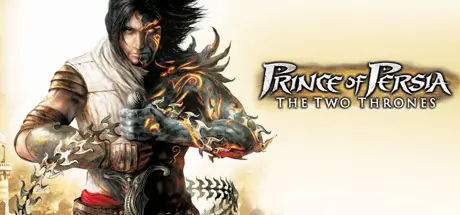
Prince of Persia: The Two Thrones

Featured Replies

Prince of Persia: The Two Thrones cover art

Prince of Persia: The Two Thrones Game Details

Release Name:ย Prince of Persia: The Two Thrones

Game Version:ย Build 252081

Release Date: 27 Aug, 2009

Publisher: Ubisoft

Developer: Ubisoft Montreal

Based On:ย CSF & Steamless

Prince of Persia: The Two Thrones Direct Download - Game Overview

The Prince of Persia, a seasoned warrior, returns from the Island of Time to Babylon with his love, Kaileena. Instead of the peace that he longs for, he finds his homeland ravaged by war and the kingdom turned against him. The Prince is rapidly captured and Kaileena has no choice but to sacrifice herself and unleash the Sands of Time in order to save him. Now cast out on the streets and hunted as a fugitive, the Prince soon discovers that past battles have given rise to a deadly Dark Prince, whose spirit gradually possesses him...

  • Play and master two distinct characters - Wield the powers and weapons of two master warriors with different combat styles, attitudes, and histories.

  • Choose your way to kill - Master the expanded Free-Form Fighting system to destroy enemies in your own style; strangle enemies from afar with the deadly Daggertail; or use a new stealth art to inflict surprise decapitations - the choice is yours.

  • Battle freely through Babylon - Dominate enemies on the perilous rooftops, dodge through chaotic streets, and ambush pursuers in dark, underground passageways.

  • Immerse yourself in a dramatic story - Experience unparalleled depth in storytelling as you fight your way through a twisting tale filled with adrenaline, tension and discovery.

  • Manipulate time to surprise enemies - Execute powerful attacks against entire armies by slowing down or rewinding time, or surprise them by using some all-new Sands of Time powers.

  • Experience a masterful blend of gameplay - True to the Prince of Persia franchise, the game provides a variety of action combat, agility and story-driven puzzles - all masterfully blended together into a rich gaming experience.


Prince of Persia: The Two Thrones Screenshots

Prince of Persia: The Two Thrones screenshot 1 Prince of Persia: The Two Thrones screenshot 2 Prince of Persia: The Two Thrones screenshot 3 Prince of Persia: The Two Thrones screenshot 4


Prince of Persia: The Two Thrones Trailer


Prince of Persia: The Two Thrones System Requirements

Minimum Requirements

Recommended Requirements

OS

Windowsยฎ 2000/XP (only)

-

Processor

1.0 GHz AMD Athlon or Intel Pentium III (1.5 GHz Pentium IV or AMD Athlon recommended)

-

Memory

256 MB (512 MB recommended)

-

Graphics

32 MB DirectX 9.0c compliant (128 MB recommended) (see supported list*)

-

DirectX

DirectX 9.0c

-

Storage

1.5 GB

-


How to Install Prince of Persia: The Two Thrones

  1. No Installation Needed: The game is pre-installed. Just download and extract.

  2. Extract: Right-click the .zip or .rar file and select "Extract Here" or "Extract to folder".

  3. Run: First, run the PrinceOfPersia.exe file. it will display a warning about an unsupported CPU. Without closing the interface, run POP3.exe.

Important Notes

๐Ÿ”ฅDOWNLOAD AREA๐Ÿ”ฅ

๐Ÿ”น1.24 GB๐Ÿ”น

Select the server you want to download with ZeiLink.

Download

  • Views 250
  • Created
  • Last Reply

Posted Images

Create an account or sign in to comment

Recently Browsing 0

  • No registered users viewing this page.

Account

Navigation

Search

Search

๐Ÿ”Ž Search Tip
For exact results, search using "game name" .
Without quotes, results may include unrelated titles.

Configure browser push notifications

Chrome (Android)
  1. Tap the lock icon next to the address bar.
  2. Tap Permissions โ†’ Notifications.
  3. Adjust your preference.
Chrome (Desktop)
  1. Click the padlock icon in the address bar.
  2. Select Site settings.
  3. Find Notifications and adjust your preference.
