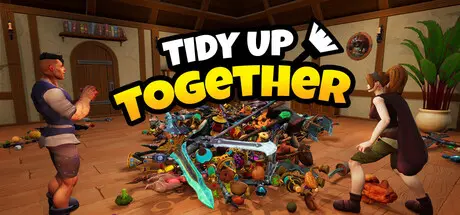
August 16Aug 16 Tidy Up Together Game DetailsRelease Name: Tidy Up TogetherGame Version: v1.04 | Build 24752311Release Date: 14 Aug, 2026Publisher: Malum GamesDeveloper: Malum GamesBased On: CSF & GoldbergTidy Up Together Direct Download - Game OverviewTidy Up Together is a cozy organizing simulator about restoring your fantasy Adventurer's shop. An evil wizard has blasted thousands of your products all over the floor - and it's your job to put them back!Item by item you'll build the shop back to its former tidiness. There's an incredible range of products ranging from potions to sushi. Those Greatswords really shouldn't be mixing with the pineapples...It's a mighty big puzzle to solve. Maybe some friends could help you out?Don't worry if you'd prefer to tidy at your own pace; the game is also perfect in single player!That wizard isn't the only one who knows some magic. As you tidy you'll be inspired to learn new abilities to help maximise your efficiency.Multiplayer - Invite as many friends as you like to help you out.Character Customization with multiple outfits.3 Levels of varying sizes.Full Controller support.650, 2500 and almost 10,000 items across 14 categories and three shops.Ability upgrades.No time limits (but you can see completion time at the end) and no game over. Tidy Up at your own pace!Tidy Up Together Screenshots Tidy Up Together TrailerTidy Up Together System RequirementsMinimum RequirementsRecommended RequirementsOSWindows 10+ (64bit)Windows 11 (64bit)ProcessorIntel i3 / AMD FX series or equivalentIntel i5 4650 / AMD FX-8320 or equivalentMemory4 GB RAM8 GB RAMGraphicsNvidia 450 / AMD equivalent with 2GB+ of Video RAMNvidia 2070 / AMD equivalent with 4GB+ of Video RAMDirectXVersion 12Version 12Storage8 GB available space8 GB available spaceHow to Install Tidy Up TogetherNo Installation Needed: The game is pre-installed. Just download and extract.Extract: Right-click the .zip or .rar file and select "Extract Here" or "Extract to folder".Run: Find TidyUpTogether.exe inside the folder and run it.Multiplayer & Online (Optional)Play Online: Download the Online Fix file and apply it to the game folder.Please go to the online fix page and read the guide.Game Data & SettingsChange Language: Edit the file located at steam_settings/Configs.user.iniSave Data Location: %USERPROFILE%/AppData/Local/TidyUpTogether/Saved/SaveGamesImportant NotesTo support the Game Developer, Get It On Steam.🔥DOWNLOAD AREA🔥🔹3.75 GB🔹Select the server you want to download with ZeiLink.DownloadOnline Fix - (RAR pass: zeigames.com)





Create an account or sign in to comment