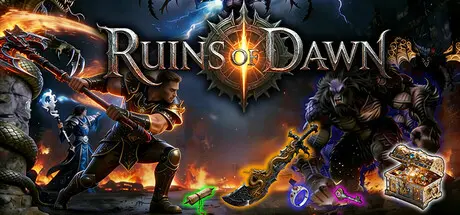
August 16Aug 16 Ruins of Dawn Game DetailsRelease Name: Ruins of DawnGame Version: v1.06 | Build 24751032Release Date: 14 Aug, 2026Publisher: 刷宝爱好者Developer: 刷宝爱好者Based On: CSF & GoldbergRuins of Dawn Direct Download - Game OverviewA loot-driven action role-playing game (ARPG) crafted by a solo loot enthusiast. Step into a demon-infested, monster-ridden continent and embark on a challenging, surprise-filled journey.Core Gameplay: This is an isometric-view ARPG. you start your adventure in a humble starting village. Defeat demons and demon-corrupted monsters, level up your character, and gear up with collected loot. Challenge elite enemies and conquer all boss foes.Classes: Choose from 3 classes—Warrior, Mage, Warlock—and switch anytime to use their unique skills in combat.Gear: Hundreds of base gear pieces are available in the game, spanning multiple rarity tiers with random extra affixes. Powerful legendary affixes and gear deliver massive stat boosts.Forging: Unique forging lets you add random affixes/runes, upgrade tier, and reforge gear—tailor your character’s progression.Bosses & Elites: Bosses lurk deep in maps—their defeat is the main source of god-tier gear. Elites are plentiful, dropping gear and forging materials.Skills: All skills are learned via skill books. Skill books drop randomly, with the most powerful ones only obtainable by defeating bosses.Rifts: Enemies may spawn invasion rifts on death, spawning tough bosses/elites for better rewards.Trials: Find Rift Keys from looting or boss kills—enter trials, navigate traps, beat the gatekeeper, and claim rich rewards.Quests: Grab bounties from the bounty board. Random high-tier scrolls unlock elite challenges with better rewards than bounties.Ruins: Use Ruin Gems to access challenging monster ruins packed with bosses.Created to relive the joy of exploring and looting with friends years ago. It features classic class/skill divisions—ranged sword auras from melee, screen-filling fire walls, mighty skeleton armies, charmed followers—and over 100 affixes for infinite, easy-to-customize gear builds. Gameplay modes including Rift Trials, Ruin Exploration, Rift Invasions and Monster-Guarded Chests keep combat from feeling monotonous.Ruins of Dawn Screenshots Ruins of Dawn System RequirementsMinimum RequirementsRecommended RequirementsOSWin10/Win11Win10/Win11ProcessorIntel Core I7-7700Intel Core I7-10700KMemory8 GB RAM16 GB RAMGraphicsNVIDIA GTX 1050tiNVIDIA GTX 4060DirectXVersion 12Version 12Storage4 GB available space8 GB available spaceHow to Install Ruins of DawnNo Installation Needed: The game is pre-installed. Just download and extract.Extract: Right-click the .zip or .rar file and select "Extract Here" or "Extract to folder".Run: Find RuinsOfDawn.exe inside the folder and run it.Multiplayer & Online (Optional)Play Online: Download the Online Fix file and apply it to the game folder.Please go to the online fix page and read the guide.Game Data & SettingsChange Language: Edit the file located at steam_settings/Configs.user.iniSave Data Location: %USERPROFILE%/AppData/Local/RuinsOfDawn\Saved\SaveGamesImportant NotesTo support the Game Developer, Get It On Steam.🔥DOWNLOAD AREA🔥🔹1.99 GB🔹Select the server you want to download with ZeiLink.DownloadOnline Fix - (RAR pass: zeigames.com)





Create an account or sign in to comment