



Theme
Language

Layout
Skip to content
View in the app

A better way to browse. Learn more.

ZeiGames

A full-screen app on your home screen with push notifications, badges and more.

To install this app on iOS and iPadOS
  1. Tap the Share icon in Safari
  2. Scroll the menu and tap Add to Home Screen.
  3. Tap Add in the top-right corner.
To install this app on Android
  1. Tap the 3-dot menu (⋮) in the top-right corner of the browser.
  2. Tap Add to Home screen or Install app.
  3. Confirm by tapping Install.

STAR WARS - The Force Unleashed Ultimate Sith Edition Free Download (Build 6522)
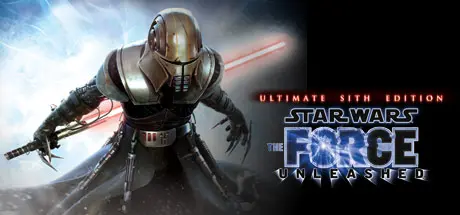
STAR WARS - The Force Unleashed Ultimate Sith Edition

Featured Replies

STAR WARS - The Force Unleashed Ultimate Sith Edition cover art

STAR WARS - The Force Unleashed Ultimate Sith Edition Game Details

Release Name: STAR WARS - The Force Unleashed Ultimate Sith Edition

Game Version: Build 6522

Release Date: 15 Dec, 2009

Publisher: LucasArts, Lucasfilm, Disney

Developer: LucasArts

Based On: CSF & Steamless + machine4578 60FPS.exe

STAR WARS - The Force Unleashed Ultimate Sith Edition Direct Download - Game Overview

The story and action of Star Wars®: The Force Unleashed expands with the release of Star Wars The Force Unleashed: Ultimate Sith Edition, a special new version of the game that will show gamers the deepest, darkest side of the Force in a story that puts them on a collision course with Luke Skywalker himself. The Ultimate Sith Edition includes all of the original missions found in Star Wars: The Force Unleashed as well as content previously only available via download and an all-new exclusive bonus level.
Star Wars: The Force Unleashed completely re-imagines the scope and scale of the Force and casts players as Darth Vader’s "Secret Apprentice," unveiling new revelations about the Star Wars galaxy seen through the eyes of a mysterious new character armed with unprecedented powers.

  • Includes the original Star Wars The Force Unleashed game plus 3 re-imagined Classic Trilogy levels: Tatooine, Jedi Temple and ALL-NEW-Hoth level

  • UNLEASH EPIC FORCE POWERS and devastating combos

  • DISCOVER THE UNTOLD STORY of Darth Vader's secret apprentice set between Episodes III and IV

  • LIFE-LIKE REACTIONS from characters and environments that are different every time you play


STAR WARS - The Force Unleashed Ultimate Sith Edition Screenshots

STAR WARS - The Force Unleashed Ultimate Sith Edition screenshot 1 STAR WARS - The Force Unleashed Ultimate Sith Edition screenshot 2 STAR WARS - The Force Unleashed Ultimate Sith Edition screenshot 3 STAR WARS - The Force Unleashed Ultimate Sith Edition screenshot 4


STAR WARS - The Force Unleashed Ultimate Sith Edition Trailer


STAR WARS - The Force Unleashed Ultimate Sith Edition System Requirements

Minimum Requirements

Recommended Requirements

OS

Win XP SP3, Windows Vista SP2 or Windows 7

-

Processor

Intel Core 2 Duo 2.4 GHz or AMD Athlon X2 5200+

Intel Core 2 Duo 2.8 GHz or AMD Athlon X2 Dual-Core 6000+

Memory

2 GB

-

Graphics

3D Hardware Accelerator Card Required - 100% DirectX 9.0c compatible 256 MB Video Memory with Shader 2.0 support (Radeon HD 2900 or Geforce 8600)

512 MB 3D Hardware Accelerator Card (GeForce 9800 GT)

DirectX

Directx 9.0c compatible

-

Storage

30GB

-


How to Install STAR WARS - The Force Unleashed Ultimate Sith Edition

  1. No Installation Needed: The game is pre-installed. Just download and extract.

  2. Extract: Right-click the .zip or .rar file and select "Extract Here" or "Extract to folder".

  3. Run: Find SWTFU.exe inside the folder and run it.

Game Data & Settings

  • Save Data Location: %USERPROFILE%/My Documents/Aspyr/Star Wars The Force Unleashed

Important Notes

🔥DOWNLOAD AREA🔥

🔹16.33 GB🔹

Select the server you want to download with ZeiLink.

Download

  • Views 294
  • Created
  • Last Reply

Posted Images

Create an account or sign in to comment

Recently Browsing 0

  • No registered users viewing this page.

Account

Navigation

Search

Search

🔎 Search Tip
For exact results, search using "game name" .
Without quotes, results may include unrelated titles.

Configure browser push notifications

Chrome (Android)
  1. Tap the lock icon next to the address bar.
  2. Tap Permissions → Notifications.
  3. Adjust your preference.
Chrome (Desktop)
  1. Click the padlock icon in the address bar.
  2. Select Site settings.
  3. Find Notifications and adjust your preference.
