



Theme
Language

Layout
Skip to content
View in the app

A better way to browse. Learn more.

ZeiGames

A full-screen app on your home screen with push notifications, badges and more.

To install this app on iOS and iPadOS
  1. Tap the Share icon in Safari
  2. Scroll the menu and tap Add to Home Screen.
  3. Tap Add in the top-right corner.
To install this app on Android
  1. Tap the 3-dot menu (โ‹ฎ) in the top-right corner of the browser.
  2. Tap Add to Home screen or Install app.
  3. Confirm by tapping Install.

Divinity: Dragon Commander Free Download (Build 127400 + Imperial Edition DLC)
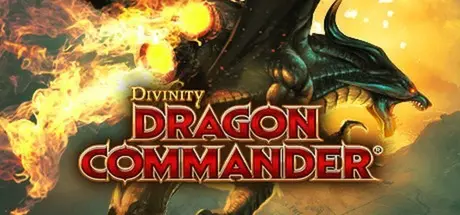
Divinity: Dragon Commander

Featured Replies

Divinity: Dragon Commander cover art

Divinity: Dragon Commander Game Details

Release Name:ย Divinity: Dragon Commander

Game Version:ย Build 127400

Release Date: 6 Aug, 2013

Publisher: Larian Studios

Developer: Larian Studios

Based On:ย CSF & Goldberg

Divinity: Dragon Commander Direct Download - Game Overview

You are the Dragon Commander. Your mission it is to reunite a broken empire and become the new emperor. Success depends entirely on your ability to efficiently rule your empire, build invincible armies and lead them to victory. Your secret weapons: your tactical insights, your leadership skills and your ability to turn yourself into a dragon.
Dragon Commander is not just any strategy game - it seamlessly blends real-time strategy gameplay with turn-based campaigning, role-playing an ascending emperor and controlling a formidable dragon.

Key Features

  • Real time strategy: Command your sea, land and air forces in real-time. Combined operations and knowing where and when to hit are crucial elements of any victory.

  • Dragon Combat: During real time strategy mode, you can turn into a dragon to support your troops in combat and obliterate the enemy using your formidable dragon powers.

  • Turn based campaign: Direct your conquest on the turn-based world map; plan several moves ahead, build formidable armies and invest in the right technology or magic upgrades.

  • Rule your empire: You are the emperor and you make the decisions! But beware, political balance is easily upset. Each game is different and you'll find that a Dragon Commander needs to make really tough decisions. Feel the effects of your decisions on the battlefield as the war progresses.

  • Single-player, multiplayer and co-op modes: Play the single player story-driven campaign or test your mettle against other Dragon Knights, online or local via LAN. Start your own multiplayer campaign with or against a friend. Or duke it out on a skirmish map.


Divinity: Dragon Commander Screenshots

Divinity: Dragon Commander screenshot 1 Divinity: Dragon Commander screenshot 2 Divinity: Dragon Commander screenshot 3 Divinity: Dragon Commander screenshot 4


Divinity: Dragon Commander Trailer


Divinity: Dragon Commander System Requirements

Minimum Requirements

Recommended Requirements

OS

Windows XP SP3

Windows 7 SP1

Processor

Intel Core2 Duo E6600 or equivalent

Intel i5 2400

Memory

2 GB RAM

4 GB RAM

Graphics

NVIDIAยฎ GeForceยฎ 8800 GT (512 MB) or ATIโ„ข Radeonโ„ข HD 4850

NVIDIAยฎ GeForceยฎ GTX 550 ti 1GB ram or or ATIโ„ข Radeonโ„ข HD 6XXX

DirectX

9.0c

9.0c

Storage

15 GB HD space

30 GB HD space


How to Install Divinity: Dragon Commander

  1. No Installation Needed: The game is pre-installed. Just download and extract.

  2. Extract: Right-click the .zip or .rar file and select "Extract Here" or "Extract to folder".

  3. Run: Find Shipping\DCApp.exe inside the folder and run it.

Game Data & Settings

  • Change Language: Edit the file located at steam_settings/Configs.user.ini

  • Save Data Location: %USERPROFILE%/My Documents/Larian Studios\Dragon Commander\Savegames

Important Notes

DLC List

Added DLCs

Dragon Commander: Imperial Edition DLC

๐Ÿ”ฅDOWNLOAD AREA๐Ÿ”ฅ

๐Ÿ”น10.44 GB๐Ÿ”น

Select the server you want to download with ZeiLink.

Download

  • Views 262
  • Created
  • Last Reply

Posted Images

Create an account or sign in to comment

Recently Browsing 0

  • No registered users viewing this page.

Account

Navigation

Search

Search

๐Ÿ”Ž Search Tip
For exact results, search using "game name" .
Without quotes, results may include unrelated titles.

Configure browser push notifications

Chrome (Android)
  1. Tap the lock icon next to the address bar.
  2. Tap Permissions โ†’ Notifications.
  3. Adjust your preference.
Chrome (Desktop)
  1. Click the padlock icon in the address bar.
  2. Select Site settings.
  3. Find Notifications and adjust your preference.
