



Theme
Language

Layout
Skip to content
View in the app

A better way to browse. Learn more.

ZeiGames

A full-screen app on your home screen with push notifications, badges and more.

To install this app on iOS and iPadOS
  1. Tap the Share icon in Safari
  2. Scroll the menu and tap Add to Home Screen.
  3. Tap Add in the top-right corner.
To install this app on Android
  1. Tap the 3-dot menu (โ‹ฎ) in the top-right corner of the browser.
  2. Tap Add to Home screen or Install app.
  3. Confirm by tapping Install.

Near Death Free Download (v1.07 + Original Score DLC)
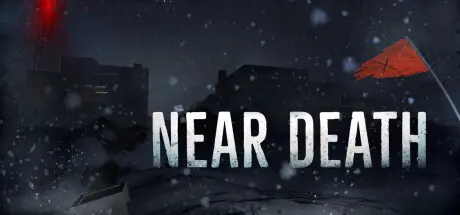
Near Death

Featured Replies

Near Death cover art

Near Death Game Details

Release Name:ย Near Death

Game Version:ย v1.07 | Build 1715995

Release Date: 2 Aug, 2016

Publisher: Orthogonal Games

Developer: Orthogonal Games

Based On:ย CSF & Goldberg

Near Death Direct Download - Game Overview

After your plane crash-lands in Antarctica, you find yourself stranded and alone at an abandoned research facility in the midst of a deadly blizzard. Plunged into utter darkness, temperatures 100 degrees below zero, and conditions far too harsh to allow for rescue, you must explore Sutro Station and and use the tools at your disposal in hopes of escaping and finding your way home.

Not a survival game, but instead a game about surviving, Near Death pits you against an incredibly cruel opponent: Antarctica. Never more than a few minutes from freezing to death in the darkness of polar night, you must reclaim the station from the elements and fight for your life in a terrifying environment thatโ€™s more like another planet than the world you know.

  • A fully explorable Antarctic research station with seamless open world navigation over an unforgiving landscape.

  • Unique gameplay and innovative player tools suited to the harsh realities of a frigid, dark continent. Mark your way with light trails in zero-visibility storms, melt frozen obstacles to explore the base in search of much-needed supplies, create pockets of warmth with a personal heater, and more.

  • A dynamic weather system that utilizes snow, wind, temperature, and lighting to create a multitude of Antarctic conditions ranging from blinding whiteouts to brief moments of calm.

  • A real-time temperature simulation that freezes and thaws the environment room by room based on exposure to the elements, building layouts, the baseโ€™s power system, and your own ability to establish safe areas with makeshift repairs.

  • Discoverable blueprints and upgrades that enhance your capabilities and increase your ability to withstand the cold.

  • An original score of haunting ambient music that amplifies the isolation of Sutro Station.


Near Death Screenshots

Near Death screenshot 1 Near Death screenshot 2 Near Death screenshot 3 Near Death screenshot 4


Near Death Trailer


Near Death System Requirements

Minimum Requirements

Recommended Requirements

OS

Windows 7 (64-bit OS required)

-

Processor

Intel Core i5 2.00 GHz or AMD equivalent (64-bit processor required)

-

Memory

4 GB RAM

-

Graphics

Nvidia GeForce GTX 650 with 1GB memory (or AMD equivalent)

-

DirectX

-

-

Storage

1 GB available space

-


How to Install Near Death

  1. No Installation Needed: The game is pre-installed. Just download and extract.

  2. Extract: Right-click the .zip or .rar file and select "Extract Here" or "Extract to folder".

  3. Run: Find Launcher.exe inside the folder and run it.

Game Data & Settings

  • Change Language: Edit the file located at steam_settings/Configs.user.ini

  • Save Data Location: %USERPROFILE%/AppData/LocalLow/Orthogonal Games/Near Death

Important Notes

DLC List

Added DLCs

Near Death: Original Score

๐Ÿ”ฅDOWNLOAD AREA๐Ÿ”ฅ

๐Ÿ”น1.31 GB๐Ÿ”น

Select the server you want to download with ZeiLink.

Download

  • Views 397
  • Created
  • Last Reply

Posted Images

Create an account or sign in to comment

Recently Browsing 0

  • No registered users viewing this page.

Account

Navigation

Search

Search

๐Ÿ”Ž Search Tip
For exact results, search using "game name" .
Without quotes, results may include unrelated titles.

Configure browser push notifications

Chrome (Android)
  1. Tap the lock icon next to the address bar.
  2. Tap Permissions โ†’ Notifications.
  3. Adjust your preference.
Chrome (Desktop)
  1. Click the padlock icon in the address bar.
  2. Select Site settings.
  3. Find Notifications and adjust your preference.
