



Theme
Language

Layout
Skip to content
View in the app

A better way to browse. Learn more.

ZeiGames

A full-screen app on your home screen with push notifications, badges and more.

To install this app on iOS and iPadOS
  1. Tap the Share icon in Safari
  2. Scroll the menu and tap Add to Home Screen.
  3. Tap Add in the top-right corner.
To install this app on Android
  1. Tap the 3-dot menu (โ‹ฎ) in the top-right corner of the browser.
  2. Tap Add to Home screen or Install app.
  3. Confirm by tapping Install.

Emergency Room Simulator Free Download (v1.0.1.1132)
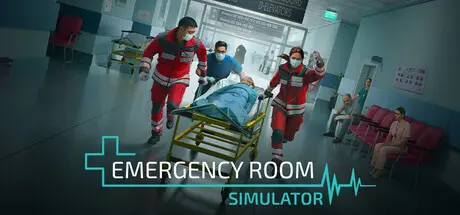
Emergency Room Simulator

Featured Replies

Emergency Room Simulator cover art

Emergency Room Simulator Game Details

Release Name:ย Emergency Room Simulator

Game Version:ย v1.0.1.1132 | Build 24728503

Release Date: 13 Aug, 2026

Publisher: Aerosoft

Developer: Caipirinha Games

Based On:ย CSF & Goldberg

Emergency Room Simulator Direct Download - Game Overview

Step into the role of a doctor in a chaotic emergency room, where every second can mean the difference between life and death. Explore a richly detailed hospital environment with authentic medical equipment, from first response in the trauma bay to bedside patient care.

From Symptom to Diagnosis

Visual exams, CT scans, X-rays, ultrasounds, ECGs, blood tests - run the right tests to confirm your suspicions. Listen to the paramedic's briefing, question and examine your patients, and ask the right questions.

Find the Right Treatment

Treat your patients with the right tools: administer medication, stitch up wounds, or apply bandages. Every treatment follows real medical procedures.

Every Second Counts

When things get serious, every second counts. Master time-critical emergencies like CPR and save lives when there's no time to hesitate.

  • Medical Detective Work: Examine patients, ask targeted questions, run diagnostic tests, and log your findings in the patient chart

  • You're the Doctor: Diagnose and treat your patients independently

  • Your Choices Matter: Prioritize diagnoses at your own discretion and decide which path to take first

  • Save Lives Under Pressure: Perform time-critical emergency treatments where every second counts

  • Realistic Treatment Procedures: Treat wounds, administer medication, and handle injuries using real medical procedures

  • Authentic ER Setting: Move through a detailed, immersive hospital environment with realistic medical equipment

  • Dynamic Gameplay: Experience a balanced mix of quiet moments and sudden, high-stakes emergencies


Emergency Room Simulator Screenshots

Emergency Room Simulator screenshot 1 Emergency Room Simulator screenshot 2 Emergency Room Simulator screenshot 3 Emergency Room Simulator screenshot 4


Emergency Room Simulator Trailer


Emergency Room Simulator System Requirements

Minimum Requirements

Recommended Requirements

OS

-

-

Processor

Intelยฎ Coreโ„ข i7-4770K / AMD Ryzen 5 1500X

Intelยฎ Coreโ„ข i7-4770K / AMD Ryzen 5 1500X

Memory

16 GB RAM

16 GB RAM

Graphics

Nvidia GeForce GTX 1060 6GB / AMD Radeon RX 6600 8GB

Nvidia GeForce GTX 1060 6GB / AMD Radeon RX 6600 8GB

DirectX

Version 12

Version 12

Storage

50 GB available space

50 GB available space


How to Install Emergency Room Simulator

  1. No Installation Needed: The game is pre-installed. Just download and extract.

  2. Extract: Right-click the .zip or .rar file and select "Extract Here" or "Extract to folder".

  3. Run: Find MedicalShift.exe inside the folder and run it.

Game Data & Settings

  • Change Language: Edit the file located at steam_settings/Configs.user.ini

  • Save Data Location: %USERPROFILE%/AppData/Local/MedicalShift\Saved\SaveGames

Important Notes

๐Ÿ”ฅDOWNLOAD AREA๐Ÿ”ฅ

๐Ÿ”น4.78 GB๐Ÿ”น

Select the server you want to download with ZeiLink.

Download

  • Views 676
  • Created
  • Last Reply

Posted Images

Create an account or sign in to comment

Recently Browsing 0

  • No registered users viewing this page.

Account

Navigation

Search

Search

๐Ÿ”Ž Search Tip
For exact results, search using "game name" .
Without quotes, results may include unrelated titles.

Configure browser push notifications

Chrome (Android)
  1. Tap the lock icon next to the address bar.
  2. Tap Permissions โ†’ Notifications.
  3. Adjust your preference.
Chrome (Desktop)
  1. Click the padlock icon in the address bar.
  2. Select Site settings.
  3. Find Notifications and adjust your preference.
