



Skip to content
View in the app

A better way to browse. Learn more.

ZeiGames

A full-screen app on your home screen with push notifications, badges and more.

To install this app on iOS and iPadOS
  1. Tap the Share icon in Safari
  2. Scroll the menu and tap Add to Home Screen.
  3. Tap Add in the top-right corner.
To install this app on Android
  1. Tap the 3-dot menu (⋮) in the top-right corner of the browser.
  2. Tap Add to Home screen or Install app.
  3. Confirm by tapping Install.

Meat Grinder: Hotdog Simulator Free Download (v1.0.1)
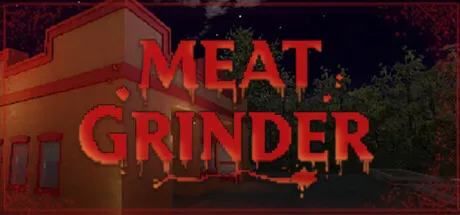
Meat Grinder: Hotdog Simulator

Featured Replies

header.webp

Game Details

Release Name: Meat Grinder: Hotdog Simulator

Game Version: v1.0.1 | Build 24693313

Release Date: 11 Aug, 2026

Publisher: Ultimate Publishing, Ultimate Games S.A.

Developer: Panic Panda

Based On: CSF & Goldberg

Meat Grinder: Hotdog Simulator Direct Download - Game Review

Welcome to Grimshore. Please mind the smell. You opened your very own hot dog shop, and the customers keep coming. There's just one small business problem: demand is high, and meat runs out fast. Luckily, the foggy little town of Grimshore has no shortage of raw material, if you're not too fussy about where it comes from. Meat Grinder is a first-person simulation with a rotten heart. Run an honest hot dog stand by day, take care of your supply chain by night, and try not to think too hard about the difference.

Grill the sausages, slice the buns, fry the potatoes, squirt the sauce, wrap it up, and hand it over with a smile. Keep customers happy, keep the money coming, and reinvest in your growing fast food empire. It's a cozy little cooking routine, right up until you run out of stock.

When the freezer runs dry, the beef carcasses can only cover so much. Grimshore's graveyard is quiet, the tools are cheap, and the meat grinder doesn't ask questions. Head out after dark, source some fresh ingredients, and get them back to the shop before opening time.

Behind the fog and the frying oil, Grimshore has stories it would rather keep buried. Take on side quests, meet the locals, follow the threads, and dig into your own character's past, whether or not you like what you find down there.

Lo-fi retro visuals, chunky textures, and a grimy nostalgic atmosphere give the whole town that unsettling old-school horror feel. Comfort food has never looked so uncomfortable.

  • Run a hot dog shop: cook, serve, and manage customers in a hands-on first-person kitchen

  • Restock by any means necessary: when the meat runs out, get creative after dark

  • A dark open world: explore the foggy town of Grimshore and its unsettling corners

  • Day and night loop: honest food service by day, questionable errands by night

  • Story to uncover: side quests that reveal the town's secrets, and a main story digging into your character's past

  • Hidden areas and secrets tucked away for players who go looking

  • Retro low-poly graphics and a nostalgic old-school horror atmosphere


Game Screenshots

screenshot screenshot screenshot screenshot


Game Trailer


System Requirements

Minimum Requirements

Recommended Requirements

OS

Windows 10 / 11

-

Processor

Intel® Core i3 / AMD Ryzen 3

-

Memory

4 GB RAM

-

Graphics

NVIDIA® GeForce® GTX 950 / AMD Radeon R7 370

-

DirectX

Version 9.0c

-

Storage

500 MB available space

-


Installation Guide

  1. No Installation Needed: The game is pre-installed. Just download and extract.

  2. Extract: Right-click the .zip or .rar file and select "Extract Here" or "Extract to folder".

  3. Run: Find Meat Grinder.exe inside the folder and run it.

Game Data & Settings

  • Change Language: Edit the file located at steam_settings/Configs.user.ini

  • Save Data Location: %USERPROFILE%/AppData/LocalLow/PanicPanda/Meat Grinder/saves

Important Notes

🔥DOWNLOAD AREA🔥

🔹160 MB🔹

Select the server you want to download with ZeiLink.

Download

  • Views 127
  • Created
  • Last Reply

Posted Images

Create an account or sign in to comment

Recently Browsing 0

  • No registered users viewing this page.

Account

Navigation

Search

Search

🔎 Search Tip
For exact results, search using "game name" .
Without quotes, results may include unrelated titles.

Configure browser push notifications

Chrome (Android)
  1. Tap the lock icon next to the address bar.
  2. Tap Permissions → Notifications.
  3. Adjust your preference.
Chrome (Desktop)
  1. Click the padlock icon in the address bar.
  2. Select Site settings.
  3. Find Notifications and adjust your preference.
