



Theme
Language

Layout
Skip to content
View in the app

A better way to browse. Learn more.

ZeiGames

A full-screen app on your home screen with push notifications, badges and more.

To install this app on iOS and iPadOS
  1. Tap the Share icon in Safari
  2. Scroll the menu and tap Add to Home Screen.
  3. Tap Add in the top-right corner.
To install this app on Android
  1. Tap the 3-dot menu (โ‹ฎ) in the top-right corner of the browser.
  2. Tap Add to Home screen or Install app.
  3. Confirm by tapping Install.

Combat Mission 2: Barbarossa to Berlin Free Download (Build 20112783)
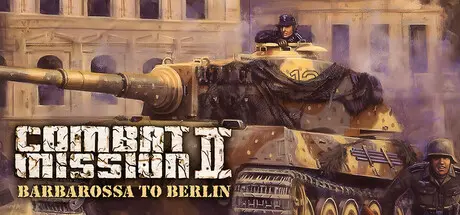
Combat Mission 2: Barbarossa to Berlin

Featured Replies

Combat Mission 2: Barbarossa to Berlin cover art

Combat Mission 2: Barbarossa to Berlin Game Details

Release Name:ย Combat Mission 2: Barbarossa to Berlin

Game Version:ย Build 20112783

Release Date: 16 Sep, 2025

Publisher: SNEG

Developer: Battlefront.com

Based On:ย CSF

Combat Mission 2: Barbarossa to Berlin Direct Download - Game Overview

Combat Mission 2: Barbarossa to Berlinย classic game from 2002 ventures into the heart of World War Il wargaming: the Eastern Front. The struggle between Nazi Germany and the Soviet Union captures the flavor of the four years of conflict that left Germany in ruins. Combat Mission 2 includes over 125 battles between 1941 and the final capitulation in May 1945, and many more are possible with the full-featured editor.

You are the commander of breathtaking battles set in Moscow, Stalingrad, Berlin and many more well-known battlefields. Combat Mission: Barbarossa to Berlin involves a variety of units and tactical possibilities - prepare for war on the Eastern Front!

  • Historically correct turn-based strategy game

  • Unique fighting system: a combination of real-time and turn-based strategy

  • More than 300 vehicle and 600 infantry types modeled

  • High res 3D graphics with varied weather conditions, seasons and times of day

  • 7 nations: Germany, Russia, Finland, Hungary, Romania, Poland and Italy

  • Over 50 of the best-rated new scenarios (over 125 scenarios in total)

  • User-friendly Battle and Map Editor with dozens of settings and terrain types unconditional surrender of Germany

  • Entire Eastern Front depicted from 1941 to 1945: from Operation Barbarossa to the

  • Over 200 mods


Combat Mission 2: Barbarossa to Berlin Screenshots

Combat Mission 2: Barbarossa to Berlin screenshot 1 Combat Mission 2: Barbarossa to Berlin screenshot 2 Combat Mission 2: Barbarossa to Berlin screenshot 3 Combat Mission 2: Barbarossa to Berlin screenshot 4


Combat Mission 2: Barbarossa to Berlin Trailer


Combat Mission 2: Barbarossa to Berlin System Requirements

Minimum Requirements

Recommended Requirements

OS

Windows 10 / 11

Windows 10 / 11

Processor

1.8 GHz

1.8 GHz

Memory

512 MB RAM

512 MB RAM

Graphics

3D graphics card compatible with DirectX 9.0

3D graphics card compatible with DirectX 9.0

DirectX

Version 9.0

Version 9.0

Storage

2 GB available space

2 GB available space


How to Install Combat Mission 2: Barbarossa to Berlin

  1. No Installation Needed: The game is pre-installed. Just download and extract.

  2. Extract: Right-click the .zip or .rar file and select "Extract Here" or "Extract to folder".

  3. Run: Find Barbarossa to Berlin.exe inside the folder and run it.

Game Data & Settings

  • Save Data Location: */Saved Games

Important Notes

๐Ÿ”ฅDOWNLOAD AREA๐Ÿ”ฅ

๐Ÿ”น1.20 GB๐Ÿ”น

Select the server you want to download with ZeiLink.

Download

  • Views 132
  • Created
  • Last Reply

Posted Images

Create an account or sign in to comment

Recently Browsing 0

  • No registered users viewing this page.

Account

Navigation

Search

Search

๐Ÿ”Ž Search Tip
For exact results, search using "game name" .
Without quotes, results may include unrelated titles.

Configure browser push notifications

Chrome (Android)
  1. Tap the lock icon next to the address bar.
  2. Tap Permissions โ†’ Notifications.
  3. Adjust your preference.
Chrome (Desktop)
  1. Click the padlock icon in the address bar.
  2. Select Site settings.
  3. Find Notifications and adjust your preference.
