



Theme
Language

Layout
Skip to content
View in the app

A better way to browse. Learn more.

ZeiGames

A full-screen app on your home screen with push notifications, badges and more.

To install this app on iOS and iPadOS
  1. Tap the Share icon in Safari
  2. Scroll the menu and tap Add to Home Screen.
  3. Tap Add in the top-right corner.
To install this app on Android
  1. Tap the 3-dot menu (โ‹ฎ) in the top-right corner of the browser.
  2. Tap Add to Home screen or Install app.
  3. Confirm by tapping Install.

The Skin Stapler Free Download (Build 24598217 + The Skin Jankers DLC)
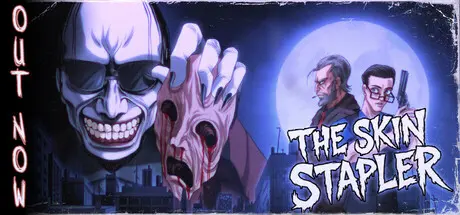
The Skin Stapler

Featured Replies

The Skin Stapler cover art

The Skin Stapler Game Details

Release Name:ย The Skin Stapler

Game Version:ย Build 24598217

Release Date: 6 Aug, 2026

Publisher: Assemble Entertainment

Developer: Tainted Pact

Based On:ย CSF & Goldberg

The Skin Stapler Direct Download - Game Overview

A serial killer stalks the streets, and youโ€™re on their trail. Investigate the murders, descend into the cityโ€™s rotten underbelly, and uncover its buried secrets. Will you find the truth before The Skin Stapler finds you?Play as burned-out detective Dick Slater, hunting a serial killer known as the Skin Stapler. Take control of other characters as they are stalked through homes, workplaces, and dark city streets.

Victims are skinned, their flesh stapled to nearby walls. Distorted audio tapes taunt police and point to something darker beneath the city. You will scream. You might die. Maybe even from laugther.

Handmade horror, with no shortcuts and plenty of sharp objects. Built as an XXL horror feature night, The Skin Stapler delivers a night of atmosphere, story, and bloody good fun.

Investigate crime scenes as Detective Dick Slater, solve grisly puzzles, or survive a not-so-ordinary shift. Every character brings a different way to experience Carrion Cityโ€™s nightmare.

Every character is fully voiced, bringing Carrion Cityโ€™s killers, victims, and burned-out cops to life.

Inspired by 1980s VHS horror and exploitation films, the game features stylized violence, neon-lit decay, and an unapologetically grim aesthetic that blends horror and humor.

From the creator of Suffer the Night, Terror at Oakheart, Massacre at the Mirage, and Flesh Made Fear, Tainted Pact Games invites you into a grimy, neon-lit nightmare with The Skin Stapler. Experience handcrafted indie horror made with support from some of your favourite content creators.


The Skin Stapler Screenshots

The Skin Stapler screenshot 1 The Skin Stapler screenshot 2 The Skin Stapler screenshot 3 The Skin Stapler screenshot 4


The Skin Stapler Trailer


The Skin Stapler System Requirements

Minimum Requirements

Recommended Requirements

OS

Microsoft Windows 10

Microsoft Windows 10

Processor

Intel Core 2 Duo 1.8GHz / AMD Athlon X2 64 2.4GHz

Intel(R) Core(TM) i5-9600K CPU @ 3.70GHz or equivalent

Memory

4 GB RAM

16 GB RAM

Graphics

Nvidia GeForce GTX 760 or higher

Nvidia GeForce GTX 1070 or higher

DirectX

-

-

Storage

2 GB available space

2 GB available space


How to Install The Skin Stapler

  1. No Installation Needed: The game is pre-installed. Just download and extract.

  2. Extract: Right-click the .zip or .rar file and select "Extract Here" or "Extract to folder".

  3. Run: Find TheSkinStapler.exe inside the folder and run it.

Game Data & Settings

  • Change Language: Edit the file located at steam_settings/Configs.user.ini

Important Notes

DLC List

Added DLCs

The Skin Stapler: The Skin Jankers

๐Ÿ”ฅDOWNLOAD AREA๐Ÿ”ฅ

๐Ÿ”น1.99 GB๐Ÿ”น

Select the server you want to download with ZeiLink.

Download

  • Views 338
  • Created
  • Last Reply

Posted Images

Create an account or sign in to comment

Recently Browsing 0

  • No registered users viewing this page.

Account

Navigation

Search

Search

๐Ÿ”Ž Search Tip
For exact results, search using "game name" .
Without quotes, results may include unrelated titles.

Configure browser push notifications

Chrome (Android)
  1. Tap the lock icon next to the address bar.
  2. Tap Permissions โ†’ Notifications.
  3. Adjust your preference.
Chrome (Desktop)
  1. Click the padlock icon in the address bar.
  2. Select Site settings.
  3. Find Notifications and adjust your preference.
