



Theme
Language

Layout
Skip to content
View in the app

A better way to browse. Learn more.

ZeiGames

A full-screen app on your home screen with push notifications, badges and more.

To install this app on iOS and iPadOS
  1. Tap the Share icon in Safari
  2. Scroll the menu and tap Add to Home Screen.
  3. Tap Add in the top-right corner.
To install this app on Android
  1. Tap the 3-dot menu (โ‹ฎ) in the top-right corner of the browser.
  2. Tap Add to Home screen or Install app.
  3. Confirm by tapping Install.

Steven Universe: Unleash the Light Free Download (v4.0.5)
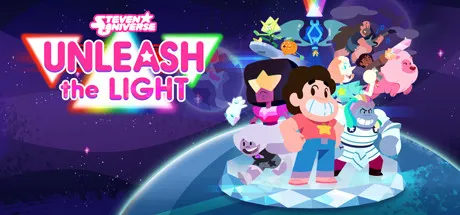
Steven Universe: Unleash the Light

Featured Replies

Steven Universe: Unleash the Light cover art

Steven Universe: Unleash the Light Game Details

Release Name:ย Steven Universe: Unleash the Light

Game Version:ย v4.0.5 | Build 9995048

Release Date: 19 Feb, 2021

Publisher: Cartoon Network Games

Developer: Grumpyface Studios

Based On:ย CSF & Goldberg

Steven Universe: Unleash the Light Direct Download - Game Overview

The Crystal Gems are back for the third game in the Light Trilogy! When two powerful Gem rulers threaten the newfound peace of Era 3, Steven and his friends must embark on a new RPG quest to stop them! Itโ€™s time to Unleash the Light!

Play as your favorite Steven Universe characters, including Steven, Garnet, Pearl, Amethyst, Lapis Lazuli, Bismuth, Peridot, Connie, and Greg!

Choose which Gems are in your party, unlock awesome new abilities and upgrades, and equip alternate costumes. Plus, change formation in battle to gain the advantage!

Face off against two new Prism-wielding Gems co-created by Rebecca Sugar. Who are they and what are they plotting?

Team up for amazing combo attacks and Gem Fusions! Fuse to play as Smoky Quartz, Sunstone, Rainbow Quartz 2.0, and Obsidian!

โ€œUnleash the Lightโ€ features an original story co-written by Rebecca Sugar, and voiceover from the Steven Universe cast and special guest star Christine Baranski.


Steven Universe: Unleash the Light Screenshots

Steven Universe: Unleash the Light screenshot 1Steven Universe: Unleash the Light screenshot 2Steven Universe: Unleash the Light screenshot 3Steven Universe: Unleash the Light screenshot 4


Steven Universe: Unleash the Light Trailer


Steven Universe: Unleash the Light System Requirements

Minimum Requirements

Recommended Requirements

OS

Windows Vista/7/8/10 - 64bit

Windows 10 - 64bit

Processor

2.6 GHz Intel Quad Core

2.6 GHz Intel Quad Core

Memory

4 GB RAM

8 GB RAM

Graphics

NVIDIA GeForce GT 750M

NVIDIA GeForce GT 750M

DirectX

-

-

Storage

2 GB available space

2 GB available space


How to Install Steven Universe: Unleash the Light

  1. No Installation Needed: The game is pre-installed. Just download and extract.

  2. Extract: Right-click the .zip or .rar file and select "Extract Here" or "Extract to folder".

  3. Run: Find ut1.exe inside the folder and run it.

Game Data & Settings

  • Change Language: Edit the file located at steam_settings/Configs.user.ini

  • Save Data Location: %USERPROFILE%/AppData/LocalLow/Grumpyface Studios/Unleash the Light

๐Ÿ”ฅDOWNLOAD AREA๐Ÿ”ฅ

๐Ÿ”น345 MB๐Ÿ”น

Select the server you want to download with ZeiLink.

Download

  • Views 287
  • Created
  • Last Reply

Posted Images

Create an account or sign in to comment

Recently Browsing 0

  • No registered users viewing this page.

Account

Navigation

Search

Search

๐Ÿ”Ž Search Tip
For exact results, search using "game name" .
Without quotes, results may include unrelated titles.

Configure browser push notifications

Chrome (Android)
  1. Tap the lock icon next to the address bar.
  2. Tap Permissions โ†’ Notifications.
  3. Adjust your preference.
Chrome (Desktop)
  1. Click the padlock icon in the address bar.
  2. Select Site settings.
  3. Find Notifications and adjust your preference.
