



Theme
Language

Layout
Skip to content
View in the app

A better way to browse. Learn more.

ZeiGames

A full-screen app on your home screen with push notifications, badges and more.

To install this app on iOS and iPadOS
  1. Tap the Share icon in Safari
  2. Scroll the menu and tap Add to Home Screen.
  3. Tap Add in the top-right corner.
To install this app on Android
  1. Tap the 3-dot menu (โ‹ฎ) in the top-right corner of the browser.
  2. Tap Add to Home screen or Install app.
  3. Confirm by tapping Install.

Gemporium: A Cute Mining Sim Free Download (v2.0.14 + ALL DLC)
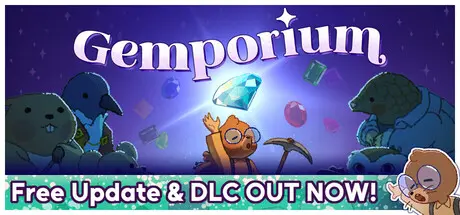
Gemporium: A Cute Mining Sim

Featured Replies

Gemporium: A Cute Mining Sim cover art

Gemporium: A Cute Mining Sim Game Details

Release Name:ย Gemporium: A Cute Mining Sim

Game Version:ย v2.0.14 | Build 24828376

Release Date: 7 Aug, 2025

Publisher: Merge Conflict Studio

Developer: Merge Conflict Studio

Based On:ย CSF & Goldberg

Gemporium: A Cute Mining Sim Direct Download - Game Overview

Grow your small gem business in this short, casual simulation miner, Gemporium! Manage your time wisely between mining gemstones, refining them for more profit, and selling them to awaiting customers. After your Grandmole goes on vacation, youโ€™re in charge of running her shop, and you quickly learn it also comes with a price of massive debt. Now, on top of building your business, you must appease the Loan Shark without going broke!

Gemporium features a timed day cycle where you have to balance completing tasks and running the gem store. Each day consists of:

Explore deeper and deeper in the local mines to stock up on gems of different rarities. Utilize various mining tools to prevent cracks and maintain the highest quality product for your shop!

Polish and prepare your recent finds in the mine to convert those lumps of rock into something collectors adore! Unrefined gemstones sell for way less than their refined counterparts, so make sure to visit the refinement table before you set up shop.

Sell your stockpile of gems to eagerly awaiting customers, but make sure to keep their tastes in mind to maximize your profit and increase your shop's reputation! The shop is only open for a limited amount of time each day, so don't be late!

Upgrade your tools, shop, and home to progress from being an anxious little mole to a master market manipulator.

For fans of a more relaxed experience, you can activate Cozy Mode to turn off the daily timer entirely and play at your own pace.


Gemporium: A Cute Mining Sim Screenshots

Gemporium: A Cute Mining Sim screenshot 1 Gemporium: A Cute Mining Sim screenshot 2 Gemporium: A Cute Mining Sim screenshot 3 Gemporium: A Cute Mining Sim screenshot 4


Gemporium: A Cute Mining Sim Trailer


Gemporium: A Cute Mining Sim System Requirements

Minimum Requirements

Recommended Requirements

OS

Windows 10

-

Processor

Ryzen 1600x or Intel 7500k

-

Memory

8 GB RAM

-

Graphics

GTX 970

-

DirectX

-

-

Storage

1 GB available space

-


How to Install Gemporium: A Cute Mining Sim

  1. No Installation Needed: The game is pre-installed. Just download and extract.

  2. Extract: Right-click the .zip or .rar file and select "Extract Here" or "Extract to folder".

  3. Run: Find Gemporium.exe inside the folder and run it.

Game Data & Settings

  • Change Language: Edit the file located at steam_settings/Configs.user.ini

  • Save Data Location: %USERPROFILE%/AppData/LocalLow//Merge Conflict Studio/Gemporium/

Important Notes

DLC List

Added DLCs

Amber & Amulets: A Gemporium Side Story

Gemporium - Supporter Pack

๐Ÿ”ฅDOWNLOAD AREA๐Ÿ”ฅ

๐Ÿ”น278 MB๐Ÿ”น

Select the server you want to download with ZeiLink.

Download

  • DicDale changed the title to Gemporium: A Cute Mining Sim Free Download (v2.0.14 + ALL DLC)

  • Replies 1
  • Views 529
  • Created
  • Last Reply

Top Posters In This Topic

Most Popular Posts

Posted Images

Thanks for updating the game to version 2.0.14 DicDale!

Create an account or sign in to comment

Recently Browsing 0

  • No registered users viewing this page.

Account

Navigation

Search

Search

๐Ÿ”Ž Search Tip
For exact results, search using "game name" .
Without quotes, results may include unrelated titles.

Configure browser push notifications

Chrome (Android)
  1. Tap the lock icon next to the address bar.
  2. Tap Permissions โ†’ Notifications.
  3. Adjust your preference.
Chrome (Desktop)
  1. Click the padlock icon in the address bar.
  2. Select Site settings.
  3. Find Notifications and adjust your preference.