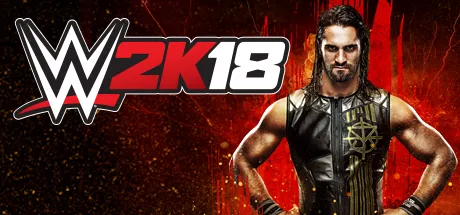
August 7Aug 7 WWE 2K18 Game DetailsRelease Name: WWE 2K18Game Version: Build 2445327Release Date: 17 Oct, 2017Publisher: 2KDeveloper: Visual Concepts, Yuke's Co., LTDBased On: CSF & GoldbergWWE 2K18 Direct Download - Game OverviewThe most realistic WWE video game experience just became more intense with the addition of eight man matches, a new grapple carry system, new weight detection, thousands of new animations and a massive backstage area. A brand-new rendering engine also gives WWE 2K18 a visual overhaul and will bring the drama of WWE to life like never before!A new MyCAREER experience puts you on the path to greatness as you journey along on the road to WrestleMania. Explore WWE like never before through free-roaming, conversing with WWE Superstars, forming alliances, making enemies, seeking out quests, and strategizing for upcoming matches.Can your MyPlayer make it to the WWE Hall of Fame? Introducing the all-new Road to Glory! Compete with opponents online to improve your MyPlayer by earning unlockables, boosts and upgrades all while securing your entry into Special Events that are held alongside real-life WWE special events, such as pay-per-views.Customize WWE like never before with an even deeper set of customization tools and the new Custom Match option! The robust Creation Suite also offers even more detailed features for Create-a-Superstar, Create-a-Video and Create-an-Arena.Dominate the ring with TONS of your favorite WWE, NXT and legendary Superstars! We’re not kidding, WWE 2K18 offers the most complete roster of the biggest and brightest WWE Superstars to ever grace a WWE ring!WWE 2K18 Screenshots WWE 2K18 TrailerWWE 2K18 System RequirementsMinimum RequirementsRecommended RequirementsOS64-bit: Windows 1064-bit: Windows 10ProcessorIntel Core i5-3550 / AMD FX 8150Intel Core i7 3770 / AMD FX-8350Memory4 GB RAM8 GB RAMGraphicsGeForce GTX 670 / Radeon HD 7850Nvidia GPU GeForce GTX 970 / AMD GPU Radeon R9 290XDirectXVersion 9.0cVersion 11Storage50 GB available space50 GB available spaceHow to Install WWE 2K18No Installation Needed: The game is pre-installed. Just download and extract.Extract: Right-click the .zip or .rar file and select "Extract Here" or "Extract to folder".Run: Find WWE2K18_x64.exe inside the folder and run it.Game Data & SettingsChange Language: Edit the file located at steam_settings/Configs.user.iniDLC ListAdded DLCsWWE 2K18 - Enduring Icons PackWWE 2K18 - Cena (Nuff) Content (WWE 2K18 - Cena (Nuff) Pack)WWE 2K18 - New Moves PackWWE 2K18 - NXT Generation PackWWE 2K18 - MyPlayer Kick StartWWE 2K18 - AcceleratorWWE 2K18 - Season PassWWE 2K18 - Kurt Angle Pack🔥DOWNLOAD AREA🔥🔹43.72 GB🔹Select the server you want to download with ZeiLink.Download





Create an account or sign in to comment