



Theme
Language

Layout
Skip to content
View in the app

A better way to browse. Learn more.

ZeiGames

A full-screen app on your home screen with push notifications, badges and more.

To install this app on iOS and iPadOS
  1. Tap the Share icon in Safari
  2. Scroll the menu and tap Add to Home Screen.
  3. Tap Add in the top-right corner.
To install this app on Android
  1. Tap the 3-dot menu (โ‹ฎ) in the top-right corner of the browser.
  2. Tap Add to Home screen or Install app.
  3. Confirm by tapping Install.

Space Warlord Baby Trading Simulator Free Download (Build 23350155)
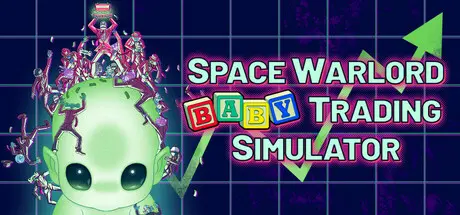
Space Warlord Baby Trading Simulator

Featured Replies

Space Warlord Baby Trading Simulator cover art

Space Warlord Baby Trading Simulator Game Details

Release Name:ย Space Warlord Baby Trading Simulator

Game Version:ย Build 23350155

Release Date: 29 Jan, 2026

Publisher: Frosty Pop, Strange Scaffold

Developer: Strange Scaffold

Based On:ย CSF & Goldberg

Space Warlord Baby Trading Simulator Direct Download - Game Overview

In Space Warlord Baby Trading Simulator, you of course do not actually trade BABIES. We aren't monsters.

You buy stocks BASED on the simulated lives of babies, profiting from their misery and cashing out the moment they win the Galactic Lottery!

Step into the shoes of baby traders across the universe in a fast-paced series of mini-campaigns. Unlock unique character endings, bet on the lifespans of digitally simulated alien children, and snatch up as many credits as you can, as fast as you can. Purchase the services of strange consultants, gathering data on your trading targets and building your fortune one Trading Rush at a time.

This is the baby-themed arcade stock market sim you didn't know you needed.

  • Seven distinct planets to trade procedurally generated alien baby stocks on, each showcasing unique ideas of what it means to be profitable and productive to society.

  • Consultants you can hire before the trading day to gain information on your trading targets.

  • An anthology of mini-campaigns following the lives and complications of baby traders across the universe.

  • A loan shark that won't let you pay him back, because he's then legally allowed to shoot you.

  • An arcade satire on stock markets and ruthless exploitation from the creators of I Am Your Beast and Space Warlord Organ Trading Simulator.

  • Pulsing electro-industrial soundtrack by Kris Kirk.

  • The ability to short a baby, because you believe its life will suck.


Space Warlord Baby Trading Simulator Screenshots

Space Warlord Baby Trading Simulator screenshot 1 Space Warlord Baby Trading Simulator screenshot 2 Space Warlord Baby Trading Simulator screenshot 3 Space Warlord Baby Trading Simulator screenshot 4


Space Warlord Baby Trading Simulator Trailer


Space Warlord Baby Trading Simulator System Requirements

Minimum Requirements

Recommended Requirements

OS

10

-

Processor

@ 2GHz

-

Memory

4 GB RAM

-

Graphics

Intel HD Graphics 2000

-

DirectX

-

-

Storage

2 GB available space

-


How to Install Space Warlord Baby Trading Simulator

  1. No Installation Needed: The game is pre-installed. Just download and extract.

  2. Extract: Right-click the .zip or .rar file and select "Extract Here" or "Extract to folder".

  3. Run: Find Space Warlord Baby Trading Simulator.exe inside the folder and run it.

Game Data & Settings

  • Change Language: Edit the file located at steam_settings/Configs.user.ini

  • Save Data Location: %USERPROFILE%/AppData/LocalLow/Strange Scaffold\Space Warlord Baby Trading Simulator\

Important Notes

๐Ÿ”ฅDOWNLOAD AREA๐Ÿ”ฅ

๐Ÿ”น230 MB๐Ÿ”น

Select the server you want to download with ZeiLink.

Download

  • Replies 1
  • Views 282
  • Created
  • Last Reply

Top Posters In This Topic

Posted Images

Create an account or sign in to comment

Recently Browsing 0

  • No registered users viewing this page.

Account

Navigation

Search

Search

๐Ÿ”Ž Search Tip
For exact results, search using "game name" .
Without quotes, results may include unrelated titles.

Configure browser push notifications

Chrome (Android)
  1. Tap the lock icon next to the address bar.
  2. Tap Permissions โ†’ Notifications.
  3. Adjust your preference.
Chrome (Desktop)
  1. Click the padlock icon in the address bar.
  2. Select Site settings.
  3. Find Notifications and adjust your preference.
