



Theme
Language

Layout
Skip to content
View in the app

A better way to browse. Learn more.

ZeiGames

A full-screen app on your home screen with push notifications, badges and more.

To install this app on iOS and iPadOS
  1. Tap the Share icon in Safari
  2. Scroll the menu and tap Add to Home Screen.
  3. Tap Add in the top-right corner.
To install this app on Android
  1. Tap the 3-dot menu (โ‹ฎ) in the top-right corner of the browser.
  2. Tap Add to Home screen or Install app.
  3. Confirm by tapping Install.

The Syndicate: Classified Operations Free Download (Build 24591388)
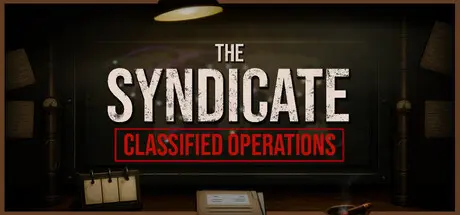
The Syndicate: Classified Operations

Featured Replies

The Syndicate: Classified Operations cover art

The Syndicate: Classified Operations Game Details

Release Name:ย The Syndicate: Classified Operations

Game Version:ย Build 24591388

Release Date: 5 Aug, 2026

Publisher: A and I Software

Developer: A and I Software

Based On:ย CSF & Goldberg

The Syndicate: Classified Operations Direct Download - Game Overview

Begin with a single city and turn it into the foundation of a growing intelligence network. Complete operations, earn resources, unlock new cities, and watch your influence spread across the map.

Every operation feeds into something bigger. Push missions forward, automate your agents, invest in upgrades, and build a network that grows faster with every decision.

Your network is powerful, but it is not stable. Cities generate Heat as you operate, forcing you to balance growth, automation, and control before the situation turns against you.

Blackouts, lockdowns, riots, and other disruptions can interrupt your plans. React quickly, restore control, and keep your operation from losing momentum.

What starts as a small covert operation grows into a Cold War machine spanning more cities, more threats, and more decisions. The bigger your network becomes, the harder it is to keep under control.

  • 465 upgrades to unlock, combining unique abilities with multi-rank improvements

  • Progress through three escalating stages, each introducing new systems and threats

  • Respond to riots, blackouts, covert operations, nuclear launches, and more

  • Experience a fully voiced campaign featuring Brady Flanagan, an increasingly tense Cold War atmosphere, and an original soundtrack by Paul Michael Harrison.


The Syndicate: Classified Operations Screenshots

The Syndicate: Classified Operations screenshot 1 The Syndicate: Classified Operations screenshot 2 The Syndicate: Classified Operations screenshot 3 The Syndicate: Classified Operations screenshot 4


The Syndicate: Classified Operations Trailer


The Syndicate: Classified Operations System Requirements

Minimum Requirements

Recommended Requirements

OS

Windows 10

Windows 11

Processor

Intel i3-540

Intel i5-9600k

Memory

8 GB RAM

8 GB RAM

Graphics

Integrated Graphics

Nvidia RTX 2060

DirectX

-

-

Storage

600 MB available space

1 GB available space


How to Install The Syndicate: Classified Operations

  1. No Installation Needed: The game is pre-installed. Just download and extract.

  2. Extract: Right-click the .zip or .rar file and select "Extract Here" or "Extract to folder".

  3. Run: Find The Syndicate.exe inside the folder and run it.

Game Data & Settings

  • Change Language: Edit the file located at steam_settings/Configs.user.ini

  • Save Data Location: %USERPROFILE%/AppData/LocalLow/A_I Software/The Syndicate

Important Notes

๐Ÿ”ฅDOWNLOAD AREA๐Ÿ”ฅ

๐Ÿ”น715 MB๐Ÿ”น

Select the server you want to download with ZeiLink.

Download

  • Replies 1
  • Views 557
  • Created
  • Last Reply

Top Posters In This Topic

Most Popular Posts

Posted Images

Create an account or sign in to comment

Recently Browsing 0

  • No registered users viewing this page.

Account

Navigation

Search

Search

๐Ÿ”Ž Search Tip
For exact results, search using "game name" .
Without quotes, results may include unrelated titles.

Configure browser push notifications

Chrome (Android)
  1. Tap the lock icon next to the address bar.
  2. Tap Permissions โ†’ Notifications.
  3. Adjust your preference.
Chrome (Desktop)
  1. Click the padlock icon in the address bar.
  2. Select Site settings.
  3. Find Notifications and adjust your preference.
