



Theme
Language

Layout
Skip to content
View in the app

A better way to browse. Learn more.

ZeiGames

A full-screen app on your home screen with push notifications, badges and more.

To install this app on iOS and iPadOS
  1. Tap the Share icon in Safari
  2. Scroll the menu and tap Add to Home Screen.
  3. Tap Add in the top-right corner.
To install this app on Android
  1. Tap the 3-dot menu (โ‹ฎ) in the top-right corner of the browser.
  2. Tap Add to Home screen or Install app.
  3. Confirm by tapping Install.

Organize my Shop Free Download (Build 24590435 + ALL DLC)
Organize my Shop

Featured Replies

Organize my Shop cover art

Organize my Shop Game Details

Release Name:ย Organize my Shop

Game Version:ย Build 24590435

Release Date: 24 Jul, 2026

Publisher: Owl's Howls

Developer: Owl's Howls

Based On:ย CSF & Goldberg

Organize my Shop Direct Download - Game Overview

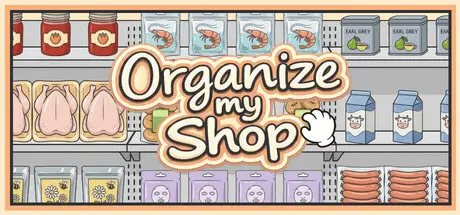
Are you familiar with that pleasant feeling when chaos turns into harmony? Welcome to a meditative game where sorting groceries becomes a true art form. Forget about the hustle and deadlines: take items from the conveyor belt and jewelry-accurately send them to the shelves, turning chaos into a benchmark display. Let every jar of strawberry jam, pack of aromatic tea, crispy buns, delicate cheeses, and neat packages of meat take their strictly designated places. And thanks to the random generation of products on the belt, you can restore this perfect order again and again โ€” each level launch will give you a new meditative experience and dozens of hours of pure anti-stress.

In front of you is an endless conveyor belt of chaotically placed products that crave order. Control the flow in the way that is most convenient for you: scroll through the belt by turning the mouse wheel, use dragging with RMB (right mouse button), or simply press the A / D keys.

Empty racks and huge refrigerators await you all around. Click on the on-screen arrows or use the Q / E keys to quickly switch between them. Your goal is to find a specific slot for each item. Don't worry, you will definitely recognize it by the neat, semi-transparent silhouette hint on the shelf!

Found the right spot? Grab the product from the belt and drag it to the shelf! Every precise placement not only brings you closer to perfection but is also instantly recorded on the progress counter in the upper left corner. Watch empty spaces fill up with even rows, step by step.

Be attentive: some shelves are designed so that products on them must be stacked on top of each other in several tiers. Some items are placed strictly one by one, others in pairs, and some can be built into a stack of three pieces. You will easily understand this intuitively and through trial right during the arrangement process! Identical items can be gathered into neat stacks right on the conveyor belt and then, in a single motion, move the entire vertical stack to its rightful place, or combine them directly on the shelf itself.

Move products in the way that is most convenient for you, as there are no strict penalties for mistakes in the game. Swap items on the shelves, put them back onto the moving belt if you change your mind, or do several things at once. You can grab a product with the mouse and, while holding it in your hand, switch between racks and refrigerators using the Q / E keys. Total freedom for your inner perfectionist!

Feel true satisfaction when confusion retreats before your perfectionism. Perfectly aligned packages, even rows of delicacies, and aesthetically arranged sweets. You will experience that exact mental "click" of pleasure when absolutely everything takes its rightful place, and the refrigerators and shelves become a model to follow!

  • High Replayability: Every new level launch brings a completely random order of chaos on the belt. Products are shuffled anew, so you can replay your favorite levels dozens of times, and each time it will be a new meditative experience.

  • Dozens of Types of Favorite Products: Sort aromatic breads, meat products, delicate cheeses, yogurts, jars of jam, cereals, tea, seafood, and vibrant gummies.

  • Pure Visual Delight: Cute hand-drawn art, a soft palette, and kawaii, incredibly pleasing animations.

  • Absolute Anti-stress: No timers, penalties for mistakes, or rushing. Play entirely at your own pace to a soothing soundtrack.

  • The Magic of Sounds: A cozy audio accompaniment that turns every precise placement of a product on a shelf into a small victory.


Organize my Shop Screenshots

Organize my Shop screenshot 1 Organize my Shop screenshot 2 Organize my Shop screenshot 3 Organize my Shop screenshot 4


Organize my Shop System Requirements

Minimum Requirements

Recommended Requirements

OS

Windows 10 or later (x64)

Windows 10 or later (x64)

Processor

Intel Core i3-6100 / AMD FX-8350 or equivalent

Intel Core i5-8400 / AMD Ryzen 5 2600

Memory

8 GB RAM

16 GB RAM

Graphics

NVIDIA GTX 750 Ti / AMD Radeon R7 370

NVIDIA GTX 1060 / AMD RX 580

DirectX

-

-

Storage

3 GB available space

3 GB available space


How to Install Organize my Shop

  1. No Installation Needed: The game is pre-installed. Just download and extract.

  2. Extract: Right-click the .zip or .rar file and select "Extract Here" or "Extract to folder".

  3. Run: Find OrganizeMyShop.exe inside the folder and run it.

Game Data & Settings

  • Change Language: Edit the file located at steam_settings/Configs.user.ini

Important Notes

DLC List

Added DLCs

Organize my Shop: Chaos

Organize my Shop: Nightshift

๐Ÿ”ฅDOWNLOAD AREA๐Ÿ”ฅ

๐Ÿ”น770 MB๐Ÿ”น

Select the server you want to download with ZeiLink.

Download

  • Views 276
  • Created
  • Last Reply

Posted Images

Create an account or sign in to comment

Recently Browsing 0

  • No registered users viewing this page.

Account

Navigation

Search

Search

๐Ÿ”Ž Search Tip
For exact results, search using "game name" .
Without quotes, results may include unrelated titles.

Configure browser push notifications

Chrome (Android)
  1. Tap the lock icon next to the address bar.
  2. Tap Permissions โ†’ Notifications.
  3. Adjust your preference.
Chrome (Desktop)
  1. Click the padlock icon in the address bar.
  2. Select Site settings.
  3. Find Notifications and adjust your preference.
