



Theme
Language

Layout
Skip to content
View in the app

A better way to browse. Learn more.

ZeiGames

A full-screen app on your home screen with push notifications, badges and more.

To install this app on iOS and iPadOS
  1. Tap the Share icon in Safari
  2. Scroll the menu and tap Add to Home Screen.
  3. Tap Add in the top-right corner.
To install this app on Android
  1. Tap the 3-dot menu (โ‹ฎ) in the top-right corner of the browser.
  2. Tap Add to Home screen or Install app.
  3. Confirm by tapping Install.

CREATION OF THE GODS: Rebellion at Five Passes Free Download (Build 24556294 + Pixel Art Desktop Wallpaper DLC)
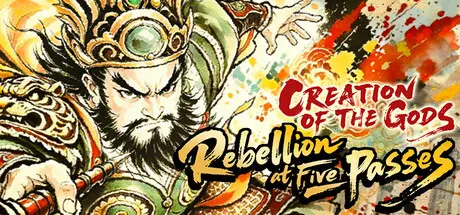

CREATION OF THE GODS: Rebellion at Five Passes

Featured Replies

CREATION OF THE GODS: Rebellion at Five Passes cover art

CREATION OF THE GODS: Rebellion at Five Passes Game Details

Release Name:ย CREATION OF THE GODS: Rebellion at Five Passes

Game Version:ย Build 24556294

Release Date: 29 Jul, 2026

Publisher: TQGameStudio

Developer: TQGameStudio

Based On:ย CSF & Goldberg

CREATION OF THE GODS: Rebellion at Five Passes Direct Download - Game Overview

ยท Classic single-narrative gameplay blending strategy and exploration!

ยท Fully handcrafted pixel art featuring characters, mythical beasts, divine artifacts, and immersive scenes!

โ—† Multi-faceted Narrative: In-Scene & World Map Storytelling, Plus Combat Integration

We deliver a complete and cohesive story through various narrative approaches. Within the game, plot development is advanced via rich character dialogue and pivotal events. Additionally, the combat itself serves as a narrative element, incorporating performance sequences during key battles. These sequences utilize lively animations and dynamic camera work to convey story progression and characters' emotional states.

Discover chests, search environments, and converse with NPCs for clues.

Defeat beasts and monsters to earn experience and unlock new skills.

Collect items to synthesize useful combat gear.

Adjust your party formation to face guardian BOSS and advance the plot.

Master potent magical artifacts to deliver decisive blows.

Elemental system based on the cycle of creation and destruction.


CREATION OF THE GODS: Rebellion at Five Passes Screenshots

CREATION OF THE GODS: Rebellion at Five Passes screenshot 1 CREATION OF THE GODS: Rebellion at Five Passes screenshot 2 CREATION OF THE GODS: Rebellion at Five Passes screenshot 3 CREATION OF THE GODS: Rebellion at Five Passes screenshot 4


CREATION OF THE GODS: Rebellion at Five Passes Trailer


CREATION OF THE GODS: Rebellion at Five Passes System Requirements

Minimum Requirements

Recommended Requirements

OS

-

-

Processor

-

-

Memory

4 GB RAM

8 GB RAM

Graphics

-

-

DirectX

Version 11

Version 11

Storage

1 GB available space

1 GB available space


How to Install CREATION OF THE GODS: Rebellion at Five Passes

  1. No Installation Needed: The game is pre-installed. Just download and extract.

  2. Extract: Right-click the .zip or .rar file and select "Extract Here" or "Extract to folder".

  3. Run: Find FSStoryChapterA_Release.exe inside the folder and run it.

Game Data & Settings

  • Change Language: Edit the file located at steam_settings/Configs.user.ini

  • Save Data Location: %USERPROFILE%/AppData/LocalLow/TQGameStudio/FSStoryChapterA_Release

Important Notes

DLC List

Added DLCs

CREATION OF THE GODS: Rebellion at Five Passes - Pixel Art Desktop Wallpaper

๐Ÿ”ฅDOWNLOAD AREA๐Ÿ”ฅ

๐Ÿ”น426 MB๐Ÿ”น

Select the server you want to download with ZeiLink.

Download

  • Views 299
  • Created
  • Last Reply

Posted Images

Create an account or sign in to comment

Recently Browsing 0

  • No registered users viewing this page.

Account

Navigation

Search

Search

๐Ÿ”Ž Search Tip
For exact results, search using "game name" .
Without quotes, results may include unrelated titles.

Configure browser push notifications

Chrome (Android)
  1. Tap the lock icon next to the address bar.
  2. Tap Permissions โ†’ Notifications.
  3. Adjust your preference.
Chrome (Desktop)
  1. Click the padlock icon in the address bar.
  2. Select Site settings.
  3. Find Notifications and adjust your preference.