



Theme
Language

Layout
Skip to content
View in the app

A better way to browse. Learn more.

ZeiGames

A full-screen app on your home screen with push notifications, badges and more.

To install this app on iOS and iPadOS
  1. Tap the Share icon in Safari
  2. Scroll the menu and tap Add to Home Screen.
  3. Tap Add in the top-right corner.
To install this app on Android
  1. Tap the 3-dot menu (โ‹ฎ) in the top-right corner of the browser.
  2. Tap Add to Home screen or Install app.
  3. Confirm by tapping Install.

Chill with You : Lo-Fi Story Free Download (Build 24432407)
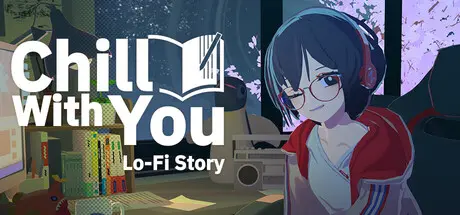
Chill with You : Lo-Fi Story

Featured Replies

Chill with You : Lo-Fi Story cover art

Chill with You : Lo-Fi Story Game Details

Release Name:ย Chill with You : Lo-Fi Story

Game Version:ย Build 24432407

Release Date: 16 Nov, 2025

Publisher: Nestopi Inc.

Developer: Nestopi Inc.

Based On:ย CSF & Goldberg

Chill with You : Lo-Fi Story Direct Download - Game Overview

Chill with You : Lo-Fi Story is a work-focused sound novel game where you work at your desk alongside Satone, an imaginative girl who loves writing novels. Customize the Lofi music, ambient sounds, and scenery that reflect Satoneโ€™s emotions to enhance your focus! The more time you spend working together, the deeper your bond will growโ€”perhaps youโ€™ll even connect with Satone on a deeper levelโ€ฆ?

Whether you want to relax and work at a leisurely pace or boost your motivation with emotionally engaging melodies, Chill Talk offers a variety of original songs tailored for different work scenarios.
Immerse yourself in deep focus while listening to high-quality music from talented sound artists.

Sometimes, itโ€™s best to turn off the music and listen to the soothing sounds of nature. Let the sound of wind, rain, and other natural elements sharpen your senses and create a deeply immersive work environment.
Customize the ambient sounds to suit your preferences.

Set up a Pomodoro timer before you start working to manage your break times effectively. Taking short, regular breaks helps maintain maximum concentration and efficiency.

During your break, take time to interact with Satone. The โ€œprecious momentsโ€ you share while working together will deepen your relationship, and if you build enough trust, she may eventually open her heart to you.


Chill with You : Lo-Fi Story Screenshots

Chill with You : Lo-Fi Story screenshot 1 Chill with You : Lo-Fi Story screenshot 2 Chill with You : Lo-Fi Story screenshot 3 Chill with You : Lo-Fi Story screenshot 4


Chill with You : Lo-Fi Story Trailer


Chill with You : Lo-Fi Story System Requirements

Minimum Requirements

Recommended Requirements

OS

Windows 10/11

Windows 10/11

Processor

Intel Core i5-7400

Intel Core i7-9700

Memory

8 GB RAM

8 GB RAM

Graphics

NVIDIA GeForce GTX 1050 Ti

NVIDIA GeForce RTX 2060

DirectX

Version 11

Version 11

Storage

5 GB available space

5 GB available space


How to Install Chill with You : Lo-Fi Story

  1. No Installation Needed: The game is pre-installed. Just download and extract.

  2. Extract: Right-click the .zip or .rar file and select "Extract Here" or "Extract to folder".

  3. Run: Find Chill with You.exe inside the folder and run it.

Game Data & Settings

  • Change Language: Edit the file located at steam_settings/Configs.user.ini

  • Save Data Location: %USERPROFILE%/AppData/LocalLow/nestopi/Chill With You/SaveData/Release

Important Notes

๐Ÿ”ฅDOWNLOAD AREA๐Ÿ”ฅ

๐Ÿ”น702 MB๐Ÿ”น

Select the server you want to download with ZeiLink.

Download

  • Replies 1
  • Views 317
  • Created
  • Last Reply

Top Posters In This Topic

Posted Images

Create an account or sign in to comment

Recently Browsing 0

  • No registered users viewing this page.

Account

Navigation

Search

Search

๐Ÿ”Ž Search Tip
For exact results, search using "game name" .
Without quotes, results may include unrelated titles.

Configure browser push notifications

Chrome (Android)
  1. Tap the lock icon next to the address bar.
  2. Tap Permissions โ†’ Notifications.
  3. Adjust your preference.
Chrome (Desktop)
  1. Click the padlock icon in the address bar.
  2. Select Site settings.
  3. Find Notifications and adjust your preference.
