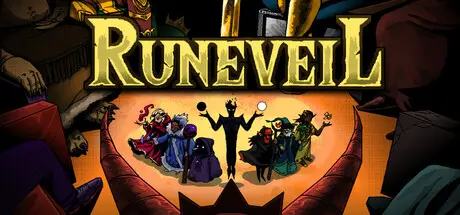
August 2Aug 2 Runeveil Game DetailsRelease Name: RuneveilGame Version: v0.5.41 | Build 24414849Release Date: 23 Jun, 2026Publisher: dicehitDeveloper: dicehitBased On: CSF & GoldbergRuneveil Direct Download - Game OverviewRuneveil is a roguelike deckbuilder where your strategy isn't just about what you play, but how you sequence it. Step into the shoes of powerful 7 Elemental Wizards and travel through various Arenas.Your goal: Beat the 7 Sin Kings in the 7 Unique Arena, and survive the escalating chaos.Unlike traditional card games, where you play one card at a time, in Runeveil, you play the whole hand, where the sequence of the runes is the most important.Combat is a puzzle of destruction. Place your runes in a specific order, and watch them trigger for a blasting combo!It’s not just about runes. Collect ancient Artifacts, use magical Potions, and apply Enchantments to your runes. Stack multipliers, trigger infinite loops, and create a build so powerful that even the Arena Kings tremble.You can see your fight rewards from the beginning. Start your strategy to build the ultimate deck from the start!4 playable wizards (Nature, Fire, Water, Arcane)3 Sin Kings with 7 ascensions (Sloth, Lust, Greed)40+ enemies to be fought200+ fully implemented runes100+ artifacts50+ potions, scrolls, enhancements7 Unique Arenas: Each arena features its own kingdom, distinct enemy types, mini-bosses, and a challenging final Boss.Ascension System: Beating a trial is just the beginning. Unlock higher Ascension levels for each Arena to face difficult modifiers and stronger enemies.Unlockables: Improve your collection and discover new runes and artifacts with every single run.Deep Progression:Wizard Evolution: Level up your specific elemental wizard to unlock unique skill trees.Global Meta-Progression: Earn experience across all runs to unlock a global talent tree that benefits all your characters.Sequence-Based Combat: A fresh take on deckbuilding where placement and order define your damage output.Magical Arsenal: Play as 7 different wizards, each with unique mechanics and playstyles.Relic Hunting: Hundreds of artifacts and items that fundamentally change how your runes interact.Roguelite Depth: No two runs are the same. Procedurally generated trials ensure endless challenges.High-Stakes Trials: Conquer 7 increasingly difficult trials to prove your worth in the Arena.Runeveil Screenshots Runeveil TrailerRuneveil System Requirements Minimum RequirementsRecommended Requirements OSWindows 10 or higher- ProcessorIntel® Core™ i3- Memory2 GB RAM- GraphicsIntel HD Graphics 3000 or better- DirectXVersion 8.0- Storage1 GB available space- How to Install RuneveilNo Installation Needed: The game is pre-installed. Just download and extract.Extract: Right-click the .zip or .rar file and select "Extract Here" or "Extract to folder".Run: Find Runeveil.exe inside the folder and run it.Game Data & SettingsChange Language: Edit the file located at steam_settings/Configs.user.iniSave Data Location: %USERPROFILE%/AppData/LocalLow/Dicehit Games/RuneveilImportant NotesTo support the Game Developer, Get It On Steam.🔥DOWNLOAD AREA🔥🔹99 MB🔹Select the server you want to download with ZeiLink.Download





Create an account or sign in to comment