



Theme
Language

Layout
Skip to content
View in the app

A better way to browse. Learn more.

ZeiGames

A full-screen app on your home screen with push notifications, badges and more.

To install this app on iOS and iPadOS
  1. Tap the Share icon in Safari
  2. Scroll the menu and tap Add to Home Screen.
  3. Tap Add in the top-right corner.
To install this app on Android
  1. Tap the 3-dot menu (โ‹ฎ) in the top-right corner of the browser.
  2. Tap Add to Home screen or Install app.
  3. Confirm by tapping Install.

Zoo Life Simulator Free Download (Build 22641787 + Online)
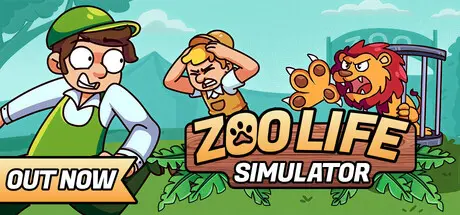
Zoo Life Simulator

Featured Replies

Zoo Life Simulator cover art

Zoo Life Simulator Game Details

Release Name:ย Zoo Life Simulator

Game Version:ย Build 22641787

Release Date: 19 Mar, 2026

Publisher: Hiraru

Developer: Hiraru

Based On:ย CSF & Goldberg

Zoo Life Simulator Direct Download - Game Overview

Zoo Life Simulator invites you to build, manage, and grow your own zoo from the ground up in a detailed management simulation. Play solo or in co-op with up to 4 players as you take on responsibilities like animal care, habitat development, staff organization, and keeping visitors happy.

Start your journey with a handful of basic animals. As you earn income, unlock new species, expand enclosures, and explore diverse biomes. With its layered progression system, each stage introduces more animals, greater responsibilities, and richer content. Keeping your animals fed, clean, and happy ensures they stay healthy and visitors stay amazed.

Divide responsibilities with your team: one player can care for animals, another can design visitor zones, while someone else manages the zooโ€™s finances. Work together to expand your park, unlock rare species, diversify your biomes, and build a wildlife sanctuary everyone can be proud of.

In Zoo Life, itโ€™s not just the enclosures you control your vehicles reflect your style too!

Paint your buggy, switch up its colors and cruise around the zoo solo or with friends, turning heads wherever you go.


Zoo Life Simulator Screenshots

Zoo Life Simulator screenshot 1 Zoo Life Simulator screenshot 2 Zoo Life Simulator screenshot 3 Zoo Life Simulator screenshot 4


Zoo Life Simulator Trailer


Zoo Life Simulator System Requirements

Minimum Requirements

Recommended Requirements

OS

Windows 10 (64-bit)

Windows 11 (64-bit)

Processor

Intel i5 or new-gen i3 / AMD equivalent

Intel i7 or AMD equivalent (AMD FX 9500+ Series)

Memory

8 GB RAM

16 GB RAM

Graphics

Nvidia GeForce GTX 1660 Ti / AMD Radeon RX 5600 XT

Nvidia RTX 3060 / AMD Radeon RX 6600

DirectX

Version 11

Version 12

Storage

20 GB available space

20 GB available space


How to Install Zoo Life Simulator

  1. No Installation Needed: The game is pre-installed. Just download and extract.

  2. Extract: Right-click the .zip or .rar file and select "Extract Here" or "Extract to folder".

  3. Run: Find ZooSimulator.exe inside the folder and run it.

Multiplayer & Online (Optional)

  • Play Online: Download the Online Fix file and apply it to the game folder.

  • Please go to the online fix page and read the guide.

Game Data & Settings

  • Change Language: Edit the file located at steam_settings/Configs.user.ini

Important Notes

๐Ÿ”ฅDOWNLOAD AREA๐Ÿ”ฅ

๐Ÿ”น8.86 GB๐Ÿ”น

Select the server you want to download with ZeiLink.

Download

Online Fix - (RAR pass: zeigames.com)

  • Views 618
  • Created
  • Last Reply

Posted Images

Create an account or sign in to comment

Recently Browsing 0

  • No registered users viewing this page.

Account

Navigation

Search

Search

๐Ÿ”Ž Search Tip
For exact results, search using "game name" .
Without quotes, results may include unrelated titles.

Configure browser push notifications

Chrome (Android)
  1. Tap the lock icon next to the address bar.
  2. Tap Permissions โ†’ Notifications.
  3. Adjust your preference.
Chrome (Desktop)
  1. Click the padlock icon in the address bar.
  2. Select Site settings.
  3. Find Notifications and adjust your preference.
