



Theme
Language

Layout
Skip to content
View in the app

A better way to browse. Learn more.

ZeiGames

A full-screen app on your home screen with push notifications, badges and more.

To install this app on iOS and iPadOS
  1. Tap the Share icon in Safari
  2. Scroll the menu and tap Add to Home Screen.
  3. Tap Add in the top-right corner.
To install this app on Android
  1. Tap the 3-dot menu (⋮) in the top-right corner of the browser.
  2. Tap Add to Home screen or Install app.
  3. Confirm by tapping Install.

CD Market - Music Label Sim Free Download (v1.0.31)
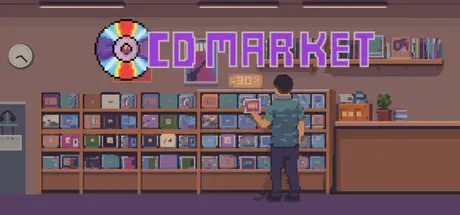
CD Market - Music Label Sim

Featured Replies

CD Market - Music Label Sim cover art

CD Market - Music Label Sim Game Details

Release Name: CD Market - Music Label Sim

Game Version: v1.0.31 | Build 24452021

Release Date: 17 Jul, 2026

Publisher: Lost Star Games

Developer: Lost Star Games

Based On: CSF & Goldberg

CD Market - Music Label Sim Direct Download - Game Overview

CD Market is a music label management game about taking a small record label through decades of music history.

You sign artists, shape their careers, release records, send them on tour, chase charts, and try to keep the whole thing from collapsing when the industry changes around you.

Some weeks are simple: a single sells well, a tour date goes smoothly, a new artist looks promising. Other weeks, a band is falling apart, a legal case lands on your desk, piracy eats into sales, a rival label makes an offer to your biggest act, and your next album still is not ready.

That is the job. Build the label anyway.

Starting in the 1950s means dealing with a world built around physical formats, regional distribution, and record stores. Start later and the business has already changed. CDs rise, piracy appears, digital platforms arrive, and the comfortable old ways of selling music become harder to rely on.

You can keep playing beyond 2020 and see how long your label can survive.

Scout new artists through your A&R department, negotiate contracts, pay advances, set royalties, renew deals, and decide who deserves a long-term place on your roster.

Artists are not just sales machines. They have creative energy, stress, boredom, happiness, chemistry, traits, and problems of their own. A talented band can still burn out, fall apart, lose a key member, or become difficult to manage at the worst possible time.

A release starts before the release screen.

Set the creative direction for a project, choose the style and theme, book demo sessions, hire writers and producers, record songs, and decide what should become a single, album, EP, promo single, compilation, greatest hits release, or special edition.

You can release music in different regions and formats, including Vinyl, Cassette, CD, and Digital. Each era changes what makes sense, what sells, and what risks you are taking.

  • Start in any year from 1950 to 2020 and continue endlessly

  • Manage a record label through vinyl, cassette, CD, piracy, and digital eras

  • Scout artists, solo members, and future stars through A&R

  • Negotiate contracts, advances, royalties, renewals, and EP deals

  • Manage artist happiness, chemistry, stress, boredom, burnout, addiction, and band drama

  • Create demos, record songs, choose writers and producers, and build full album projects

  • Release singles, albums, EPs, compilations, greatest hits, promo singles, and special editions

  • Choose formats, regions, prices, publishers, marketing budgets, and distribution options

  • Track sales, profit, certifications, piracy impact, chart positions, and regional recognition

  • Run PR events, marketing campaigns, radio promotion, TV exposure, and commercial deals

  • Plan tours with venues, ticket prices, setlists, support acts, travel, amenities, and show ratings

  • Create merch sets, manage suppliers, order stock, and sell to fans

  • Compete for awards and perform at major ceremonies

  • Create your own festivals and invite label or global artists

  • Handle legal cases, settlements, court outcomes, and anti-piracy campaigns

  • Compete with rival labels, counter their offers, sign global artists, or acquire subsidiaries

  • Build distribution centers, open record stores, and make deals with other labels

  • Buy radio stations and strengthen your control over promotion

  • Use Sandbox mode to edit your label, artists, money, recognition, and more

  • Create or import custom music templates with different genres, styles, regions, stores, publishers, and radio stations

  • Unlock achievements across sales, tours, awards, formats, legal cases, stores, and digital music


CD Market - Music Label Sim Screenshots

CD Market - Music Label Sim screenshot 1 CD Market - Music Label Sim screenshot 2 CD Market - Music Label Sim screenshot 3 CD Market - Music Label Sim screenshot 4


CD Market - Music Label Sim Trailer


CD Market - Music Label Sim System Requirements

Minimum Requirements

Recommended Requirements

OS

Windows 10 (64-bit)

-

Processor

Intel Core i3 / AMD Ryzen 3 (or equivalent)

-

Memory

4096 MB RAM

-

Graphics

Integrated Graphics (Intel HD 4000 or equivalent)

-

DirectX

-

-

Storage

1000 MB available space

-


How to Install CD Market - Music Label Sim

  1. No Installation Needed: The game is pre-installed. Just download and extract.

  2. Extract: Right-click the .zip or .rar file and select "Extract Here" or "Extract to folder".

  3. Run: Find CD Market.exe inside the folder and run it.

Game Data & Settings

  • Change Language: Edit the file located at steam_settings/Configs.user.ini

Important Notes

🔥DOWNLOAD AREA🔥

🔹206 MB🔹

Select the server you want to download with ZeiLink.

Download

  • Replies 2
  • Views 581
  • Created
  • Last Reply

Top Posters In This Topic

Most Popular Posts

  • larsVeeke
    larsVeeke

    thank you,to be honest i already have the game,but it is a nice game to play for others .......ps wrong trailer video ;) this is the right one https://www.youtube.com/watch?v=iu6e5k-Chcs

  • DicDale
    DicDale

    Thanks for info, i added right one now

Posted Images

Create an account or sign in to comment

Recently Browsing 0

  • No registered users viewing this page.

Account

Navigation

Search

Search

🔎 Search Tip
For exact results, search using "game name" .
Without quotes, results may include unrelated titles.

Configure browser push notifications

Chrome (Android)
  1. Tap the lock icon next to the address bar.
  2. Tap Permissions → Notifications.
  3. Adjust your preference.
Chrome (Desktop)
  1. Click the padlock icon in the address bar.
  2. Select Site settings.
  3. Find Notifications and adjust your preference.
