



Theme
Language

Layout
Skip to content
View in the app

A better way to browse. Learn more.

ZeiGames

A full-screen app on your home screen with push notifications, badges and more.

To install this app on iOS and iPadOS
  1. Tap the Share icon in Safari
  2. Scroll the menu and tap Add to Home Screen.
  3. Tap Add in the top-right corner.
To install this app on Android
  1. Tap the 3-dot menu (⋮) in the top-right corner of the browser.
  2. Tap Add to Home screen or Install app.
  3. Confirm by tapping Install.

LEGO Batman: Legacy of the Dark Knight Free Download (v1.008 + ALL DLC)
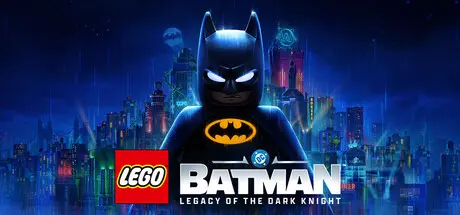
LEGO Batman: Legacy of the Dark Knight

Featured Replies

LEGO Batman: Legacy of the Dark Knight cover art

LEGO Batman: Legacy of the Dark Knight Game Details

Release Name: LEGO® Batman: Legacy of the Dark Knight

Game Version: v1.008 | Build 24240150

Release Date: 22 May, 2026

Publisher: Warner Bros. Games, Warner Bros. Interactive Entertainment

Developer: TT Games

Based On: CSF & DenuvOwO

LEGO® Batman: Legacy of the Dark Knight Direct Download - Game Review

LEGO® Batman: Legacy of the Dark Knight is a narrative led action-adventure from TT Games, creators of LEGO® Star Wars: The Skywalker Saga. Step into Bruce Wayne’s journey to become Batman, forging bonds with trusted allies while facing Gotham City’s most dangerous and iconic DC Super-Villains.

Embark on a journey that begins with the origins of Batman as a young Bruce Wayne trains with The League of Shadows, becomes the hero of Gotham City, and forge a new family of allies with Jim Gordon, Catwoman, Robin, Nightwing, and Batgirl. Confront an ever-growing threat from across Batman’s Rogue’s Gallery as you face The Joker, The Penguin, Mr. Freeze, Poison Ivy, Bane, and more.

Play as Batman with an exhilarating new combat system, combining fluid combos, stealth techniques, and detective skills to take on crime across the streets and rooftops of Gotham City. Command a full range of Batmobiles and Batcycles, including the legendary Tumbler, as you navigate an open and immersive Gotham City. Grapple, glide, or drive through the open world with agility and speed, while discovering crimes, challenges, rewards, secrets, and iconic landmarks such as Arkham Asylum, Ace Chemicals, and Wayne Tower.


LEGO Batman: Legacy of the Dark Knight Screenshots

LEGO Batman: Legacy of the Dark Knight screenshot 1 LEGO Batman: Legacy of the Dark Knight screenshot 2 LEGO Batman: Legacy of the Dark Knight screenshot 3 LEGO Batman: Legacy of the Dark Knight screenshot 4


LEGO Batman: Legacy of the Dark Knight Trailer


LEGO Batman: Legacy of the Dark Knight System Requirements

Minimum Requirements

Recommended Requirements

OS

Windows 11

Windows 11

Processor

Intel Core i5-10600K or AMD Ryzen 5 1600

Intel Core i7-12700 or AMD Ryzen 7 5800X

Memory

16 GB RAM

16 GB RAM

Graphics

NVIDIA GeForce GTX 960, 4 GB or AMD Radeon RX 6400, 4 GB or Intel Arc A580, 8 GB

NVIDIA GeForce RTX 2070 SUPER, 8 GB or AMD Radeon RX 6650 XT, 8 GB or Intel Arc B580, 12 GB

DirectX

-

-

Storage

50 GB available space

50 GB available space


How to Install LEGO Batman: Legacy of the Dark Knight

  1. Copy the contents of the DenuvOwO folder to the game folder.

  2. Hypervisor releases require specific system features to be disabled.

  3. To prepare your system, run VBS.cmd and follow its instructions.

  4. Launch the game from its executable after proceeding with VBS.cmd.

  5. Once you are done playing, it is recommended to revert the changes.

Game Data & Settings

  • Change Language: Edit the file located at steam_settings/Configs.user.ini

  • Save Data Location: %USERPROFILE%/AppData/Local/Warner Bros. Interactive Entertainment/LEGO Batman - Legacy of the Dark Knight/SaveGames/steam/

Important Notes

DLC List

Added DLCs

LEGO® Batman: Legacy of the Dark Knight Deluxe Edition Upgrade

Party Music Pack

Batman Beyond Pack

Arkham Trilogy Pack

The Dark Knight Returns Suit

🔥DOWNLOAD AREA🔥

🔹38.82 GB🔹

Select the server you want to download with ZeiLink.

Download

  • Views 457
  • Created
  • Last Reply

Posted Images

Create an account or sign in to comment

Recently Browsing 0

  • No registered users viewing this page.

Account

Navigation

Search

Search

🔎 Search Tip
For exact results, search using "game name" .
Without quotes, results may include unrelated titles.

Configure browser push notifications

Chrome (Android)
  1. Tap the lock icon next to the address bar.
  2. Tap Permissions → Notifications.
  3. Adjust your preference.
Chrome (Desktop)
  1. Click the padlock icon in the address bar.
  2. Select Site settings.
  3. Find Notifications and adjust your preference.
