



Theme
Language

Layout
Skip to content
View in the app

A better way to browse. Learn more.

ZeiGames

A full-screen app on your home screen with push notifications, badges and more.

To install this app on iOS and iPadOS
  1. Tap the Share icon in Safari
  2. Scroll the menu and tap Add to Home Screen.
  3. Tap Add in the top-right corner.
To install this app on Android
  1. Tap the 3-dot menu (โ‹ฎ) in the top-right corner of the browser.
  2. Tap Add to Home screen or Install app.
  3. Confirm by tapping Install.

Trench Lord: Eastern Front Free Download (v1.08.003.1)
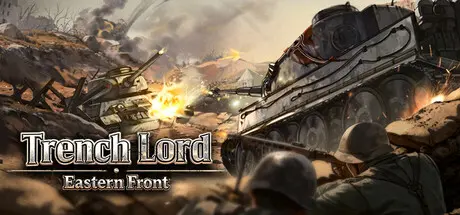
Trench Lord: Eastern Front

Featured Replies

Trench Lord: Eastern Front cover art

Trench Lord: Eastern Front Game Details

Release Name:ย Trench Lord: Eastern Front

Game Version:ย v1.08.003.1 | Build 23744516

Release Date: 23 Apr, 2026

Publisher: Gamersky Games

Developer: Tracer Studio, LING YUN CO.,LTD.

Based On:ย CSF & Goldberg

Trench Lord: Eastern Front Direct Download - Game Overview

When thereโ€™s no way back, courage becomes your sharpest weapon. Behind you lie your homeland and family; ahead stretches a battlefield of steel and fire. Push forward through the artillery, charge, and charge againโ€”until the victory flag claims the front!

Tank tracks tear through the earth, turret flashes light up the night sky, and the roar of steel beasts echoes across the battlefield. Face-to-face battles of firepower and armor, clashes of tactics and courageโ€”every encounter has the power to change the course of the war.

Muzzles roar, belts of bullets dance, and machine gun fire weaves a deadly iron net before the trenches! Lead your squad to break through enemy lines and tear their defenses!

Experience key battles on the Eastern Front of WWII, from the brutal Battle of Stalingrad to the high-stakes Battle of Kursk. Over 20 iconic WWII battlefields await you, covering urban combat, winter guerrilla warfare, armored confrontations, and moreโ€”capturing the full scope of the Eastern Front.

From basic infantry arms to heavy tanks and armored trains, hundreds of classic WWII vehicles and equipment gather for battle. Start your engines, load your weapons, and send your forces into action!

From field artillery and howitzers to rocket barrages, overwhelming firepower sweeps across the front, clearing all obstacles in your path. Facing enemy armored columns? Request an airstrike and send them sky-high!

Command the battlefield from a squad-level perspective. Build defenses, consolidate positions, organize assaults, and break encirclementsโ€”every decision matters. Deploy squads, issue commands, and adapt your tactics to turn the tide of battle๏ผ


Trench Lord: Eastern Front Screenshots

Trench Lord: Eastern Front screenshot 1 Trench Lord: Eastern Front screenshot 2 Trench Lord: Eastern Front screenshot 3 Trench Lord: Eastern Front screenshot 4


Trench Lord: Eastern Front Trailer


Trench Lord: Eastern Front System Requirements

Minimum Requirements

Recommended Requirements

OS

Windows 10 (64 bit)

Windows 10 (64 bit)

Processor

Dual Core 2 GHz

Dual Core 2 GHz

Memory

8 GB RAM

16 GB RAM

Graphics

NVIDIA GeForce GTX 1060

NVIDIA GeForce GTX 1070TI

DirectX

Version 11

-

Storage

3 GB available space

3 GB available space


How to Install Trench Lord: Eastern Front

  1. No Installation Needed: The game is pre-installed. Just download and extract.

  2. Extract: Right-click the .zip or .rar file and select "Extract Here" or "Extract to folder".

  3. Run: Find PatrioticWar.exe inside the folder and run it.

Game Data & Settings

  • Change Language: Edit the file located at steam_settings/Configs.user.ini

  • Save Data Location: %USERPROFILE%/AppData/LocalLow/TracerStudio/PatrioticWar

Important Notes

๐Ÿ”ฅDOWNLOAD AREA๐Ÿ”ฅ

๐Ÿ”น3.54 GB๐Ÿ”น

Select the server you want to download with ZeiLink.

Download

  • Views 382
  • Created
  • Last Reply

Posted Images

Create an account or sign in to comment

Recently Browsing 0

  • No registered users viewing this page.

Account

Navigation

Search

Search

๐Ÿ”Ž Search Tip
For exact results, search using "game name" .
Without quotes, results may include unrelated titles.

Configure browser push notifications

Chrome (Android)
  1. Tap the lock icon next to the address bar.
  2. Tap Permissions โ†’ Notifications.
  3. Adjust your preference.
Chrome (Desktop)
  1. Click the padlock icon in the address bar.
  2. Select Site settings.
  3. Find Notifications and adjust your preference.
