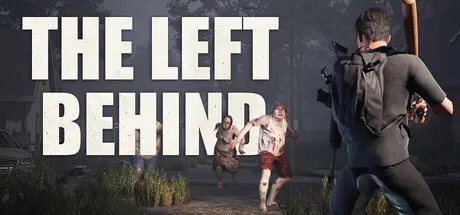
July 28Jul 28 The Left Behind Game DetailsRelease Name: The Left BehindGame Version: v1.0.0 | Build 24397930Release Date: 27 Jul, 2026Publisher: ExtrudeDeveloper: ExtrudeBased On: CSF & GoldbergThe Left Behind Direct Download - Game OverviewThe Left Behind is a solo and co-op post-apocalyptic survival game. Explore a typical Dutch open-world landscape at daytime and beware of hordes of enemies coming in at night. Loot and hunt to survive. Each night, the game becomes increasingly challenging. Keep track of your highscore and try to survive as many nights as possible.Explore typical Dutch landscapes in a post apocalyptic setting. Every building you encounter can be entered and looted. Discover the personality of each building, the world and the people that used to live in it.Survive with up to four (4) people as long as you can in this harsh world. Survive together or take on each other to see who survives the longest? It’s up to you to decide! Loot abandoned buildings at daylight and try to survive enemies coming in at night. Keep an eye out for your food, thirst and health bar at all times. Stack up some food while you can, you never know when you need it…Shoot, loot and survive your way through this open world.Unlock new areas and weapons while playing the game.Encounter various enemies and animals in the world.Explore an unique and handcrafted Dutch landscape.Play for a new highscore every game, alone or with friends.Unlock various melee and ranged weapons.Play solo or online with friends.Immerse yourself in a mysterious story.Play different game modes: story, survival, horde-mode or explore the open world at your own pace.You can enter and explore every building in the game.The Left Behind Screenshots The Left Behind TrailerThe Left Behind System Requirements Minimum RequirementsRecommended Requirements OSWindows 10- ProcessorINTEL CORE I5-8400 or AMD RYZEN 3 3300X- Memory16 GB RAM- GraphicsNVIDIA GeForce GTX 1060 3GB or AMD Radeon RX 570 4GB- DirectX-- Storage14 GB available space- How to Install The Left BehindNo Installation Needed: The game is pre-installed. Just download and extract.Extract: Right-click the .zip or .rar file and select "Extract Here" or "Extract to folder".Run: Find TheLeftBehind.exe inside the folder and run it.Multiplayer & Online (Optional)Play Online: Download the Online Fix file and apply it to the game folder.Please go to the online fix page and read the guide.Game Data & SettingsChange Language: Edit the file located at steam_settings/Configs.user.iniImportant NotesTo support the Game Developer, Get It On Steam.🔥DOWNLOAD AREA🔥🔹12.81 GB🔹Select the server you want to download with ZeiLink.DownloadOnline Fix - (RAR pass: zeigames.com)





Create an account or sign in to comment