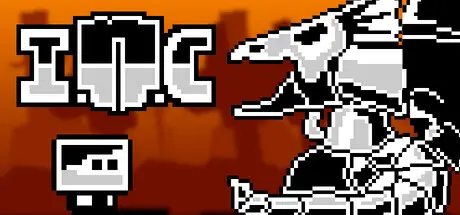
July 26Jul 26 INC. Game DetailsRelease Name: INC.Game Version: Build 20057407Release Date: 25 Sep, 2025Publisher: HandyGames, OrangepixelDeveloper: OrangepixelBased On: CSFINC. Direct Download - Game OverviewThe year 2135, the world is ruled by AI Corporations, humans are slowly being replaced by robots and machines, and the most powerful humans are now looking for ways to transfer their souls into robots, for eternal life. Doctor Robotus is kidnapped in front of your eyes, can you become the savior?Fight your way thru four stylish platforming worlds, surviving a large variation of different robots and machines that only have one mission, stop you from reaching your goal: saving Dr Robotus!Level up your skills, become more powerful and stronger as you progress through the game. When you die you get “reset” and lose some of your skills. The less you die, the more powerful you will be to defeat the final boss!Stylish minimalistic pixel artStory driven progressionBoss battlesClassic platformer with pre-designed levelsThumping unique chip-tune style sound trackINC. Screenshots INC. System Requirements Minimum RequirementsRecommended Requirements OSWindows 7 or higher- Processor2.0 ghz Dual Core- Memory2 GB RAM- GraphicsIntel HD3000 or higher with OpenGL 2.1 support- DirectX-- Storage200 MB available space- How to Install INC.No Installation Needed: The game is pre-installed. Just download and extract.Extract: Right-click the .zip or .rar file and select "Extract Here" or "Extract to folder".Run: Find INC.exe inside the folder and run it.Game Data & SettingsSave Data Location: %USERPROFILE%/AppData/Roaming/incImportant NotesTo support the Game Developer, Get It On Steam.🔥DOWNLOAD AREA🔥🔹48 MB🔹Select the server you want to download with ZeiLink.Download





Create an account or sign in to comment