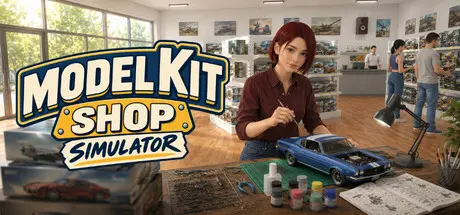
July 26Jul 26 Model Kit Shop Simulator Game DetailsRelease Name: Model Kit Shop SimulatorGame Version: v0.302 | Build 24395211Release Date: 24 Jul, 2026Publisher: PlayWay S.A.Developer: Tenacity GamesBased On: CSF & GoldbergModel Kit Shop Simulator Direct Download - Game OverviewModel Kit Shop Simulator is a first-person store management game where every sale starts with a Model Kit.Build and grow your own hobby shop by ordering master boxes, unpacking deliveries, stocking shelves, setting prices, and serving collectors and enthusiasts.But running a successful model kit shop is not just about selling boxes. To maximize profits, you need to keep the right matching paints in stock, increase basket value through the Hobby Basket System, and give customers a place to bring their projects to life with the Build Table.Customers do not just buy a single kit — they start a project. When a customer picks a model kit, they may also look for the matching paints needed to complete it. If you keep those paints on your shelves, they can add them to their basket, increasing the total value of each sale. If the paints are missing, they may still buy the kit, but your basket value and profit will be lower.Customers who complete the right kit-and-paint combination can pay to use a Build Table after checkout. There, they sit down, start assembling their kit, and turn a box of parts into a finished model right inside your shop. This makes your store feel more alive and adds a distinctive hobby-shop experience beyond traditional retail management.Success depends on smart stock planning, efficient shelf management, the right product variety, and creating a store that supports both shopping and building.Run your own first-person model kit shopOrder and unpack products from master boxesStock shelves and organize your store layoutSet prices and manage your profitsUse the Hobby Basket System to increase basket valueKeep matching paints in stock to support model kit salesLet customers use Build Tables to assemble their kits after checkoutUnlock theme licenses and expand your product varietyGrow from a small shop into a larger hobby businessModel Kit Shop Simulator Screenshots Model Kit Shop Simulator TrailerModel Kit Shop Simulator System Requirements Minimum RequirementsRecommended Requirements OSWindows 10 (64-bit)Windows 10/11 (64-bit) ProcessorIntel Core i5-2500K or AMD FX-6300Intel Core i5-8400 or AMD Ryzen 5 2600 Memory8 GB RAM16 GB RAM GraphicsNVIDIA GeForce GTX 960 or AMD Radeon R9 280 (2 GB VRAM)NVIDIA GeForce GTX 1660 Ti or AMD Radeon RX 5600 XT (6 GB VRAM) DirectXVersion 11Version 11 Storage6 GB available space6 GB available space How to Install Model Kit Shop SimulatorNo Installation Needed: The game is pre-installed. Just download and extract.Extract: Right-click the .zip or .rar file and select "Extract Here" or "Extract to folder".Run: Find Model Kit Shop Simulator.exe inside the folder and run it.Game Data & SettingsChange Language: Edit the file located at steam_settings/Configs.user.iniSave Data Location: %USERPROFILE%/AppData/LocalLow/TenacityGames/Model Kit Shop SimulatorImportant NotesTo support the Game Developer, Get It On Steam.🔥DOWNLOAD AREA🔥🔹1.80 GB🔹Select the server you want to download with ZeiLink.Download





Create an account or sign in to comment