



Theme
Language

Layout
Skip to content
View in the app

A better way to browse. Learn more.

ZeiGames

A full-screen app on your home screen with push notifications, badges and more.

To install this app on iOS and iPadOS
  1. Tap the Share icon in Safari
  2. Scroll the menu and tap Add to Home Screen.
  3. Tap Add in the top-right corner.
To install this app on Android
  1. Tap the 3-dot menu (โ‹ฎ) in the top-right corner of the browser.
  2. Tap Add to Home screen or Install app.
  3. Confirm by tapping Install.

Nightmare Drive Free Download (Build 24372877 + Online)
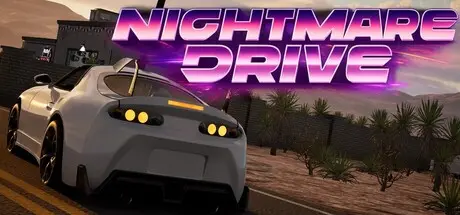
Nightmare Drive

Featured Replies

Nightmare Drive cover art

Nightmare Drive Game Details

Release Name:ย Nightmare Drive

Game Version:ย Build 24372877

Release Date: 30 Apr, 2026

Publisher: Voidfiller

Developer: Voidfiller

Based On:ย CSF & Goldberg

Nightmare Drive Direct Download - Game Overview

Build Your Vehicleย Strip down Junk, salvage engines, radiators, and various parts. Every component matters. Mix fluids, manage resources, and transform scattered scrap into a road-worthy beast capable of keeping you alive.

The road never ends. Neither do they.

Survive the wasteland in Nightmare Drive, a post-apocalyptic driving survival game where your vehicle is your lifeline. Scavenge for parts, customize your ride, and keep movingโ€”the dead roam these roads day and night, and they never rest.

Endless Roads, Infinite Danger Procedurally generated highways stretch endlessly. Explore abandoned structures, discover supplies, and push deeper into the unknown. But stay alertโ€”every stop is a risk, and the dead are never far.

Outlast the Dead They never sleep. Cut through relentless zombies, manage your fuel, and pray you get enough resources. Every mile survived is a victory. Every breakdown could be your last.

Keep driving โ€” the next breakdown could be your last.


Nightmare Drive Screenshots

Nightmare Drive screenshot 1 Nightmare Drive screenshot 2 Nightmare Drive screenshot 3 Nightmare Drive screenshot 4


Nightmare Drive Trailer


Nightmare Drive System Requirements

Minimum Requirements

Recommended Requirements

OS

Windows 10/11 (64-Bit)

Windows 10/11 (64-Bit)

Processor

Intel Core i5-6600@ 3.1 GHz or AMD R5 1600X @ 3.5 GHz or equivalent

Intel Core i5 10400 3.1 GHz or AMD Ryzen 5 2600x 3.1 GHz

Memory

8 GB RAM

16 GB RAM

Graphics

NVIDIA GeForce GTX 2060 or equivalent

NVIDIA GeForce RTX 3060 or equivalent

DirectX

Version 11

Version 11

Storage

6 GB available space

16 GB available space


How to Install Nightmare Drive

  1. No Installation Needed: The game is pre-installed. Just download and extract.

  2. Extract: Right-click the .zip or .rar file and select "Extract Here" or "Extract to folder".

  3. Run: Find NightmareDrive.exe inside the folder and run it.

Multiplayer & Online (Optional)

  • Play Online: Download the Online Fix file and apply it to the game folder.

  • Please go to the online fix page and read the guide.

Game Data & Settings

  • Change Language: Edit the file located at steam_settings/Configs.user.ini

  • Save Data Location: /NightmareDrive/Saved/SaveGames

Important Notes

๐Ÿ”ฅDOWNLOAD AREA๐Ÿ”ฅ

๐Ÿ”น7.13 GB๐Ÿ”น

Select the server you want to download with ZeiLink.

Download

Online Fix - (RAR pass: zeigames.com)

  • Views 806
  • Created
  • Last Reply

Posted Images

Create an account or sign in to comment

Recently Browsing 0

  • No registered users viewing this page.

Account

Navigation

Search

Search

๐Ÿ”Ž Search Tip
For exact results, search using "game name" .
Without quotes, results may include unrelated titles.

Configure browser push notifications

Chrome (Android)
  1. Tap the lock icon next to the address bar.
  2. Tap Permissions โ†’ Notifications.
  3. Adjust your preference.
Chrome (Desktop)
  1. Click the padlock icon in the address bar.
  2. Select Site settings.
  3. Find Notifications and adjust your preference.
