



Theme
Language

Layout
Skip to content
View in the app

A better way to browse. Learn more.

ZeiGames

A full-screen app on your home screen with push notifications, badges and more.

To install this app on iOS and iPadOS
  1. Tap the Share icon in Safari
  2. Scroll the menu and tap Add to Home Screen.
  3. Tap Add in the top-right corner.
To install this app on Android
  1. Tap the 3-dot menu (⋮) in the top-right corner of the browser.
  2. Tap Add to Home screen or Install app.
  3. Confirm by tapping Install.

Generation Zero Free Download (Build 17040772 + ALL DLC + Online)
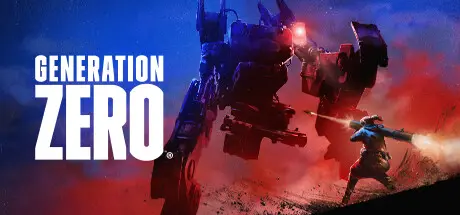
Generation Zero

Featured Replies

Generation Zero cover art

Generation Zero Game Details

Release Name: Generation Zero

Game Version: Build 17040772

Release Date: 26 Mar, 2019

Publisher: Avalanche Studios

Developer: Systemic Reaction

Based On: CSF & Goldberg

Generation Zero® Direct Download - Game Review

Generation Zero is set in the familiar but hostile open world of Östertörn, Sweden. Your once peaceful home has now been overrun by mysterious, deadly machine enemies. You must choose your battles wisely as you engage in adrenaline-pumping guerilla combat against the mechanical forces.

Explore a huge map inspired by the Swedish Cold War era where danger lurks on every street, in every patch of forest and deep inside every bunker.

Engage in tense battles against sophisticated and deadly machines. Take them on solo or together with up to three friends. Can you outsmart a relentless enemy designed to hunt you down?

Grow stronger as you gain experience fighting back against the machines. Scavenge parts from your fallen enemies and use them to craft equipment, weapons and ammunition. Build and fortify your own bases across the island and start taking back your home!

Discover the truth behind what really happened to the region of Östertörn.


Generation Zero Screenshots

Generation Zero screenshot 1 Generation Zero screenshot 2 Generation Zero screenshot 3 Generation Zero screenshot 4


Generation Zero Trailer


Generation Zero System Requirements

Minimum Requirements

Recommended Requirements

OS

64bit OS - Windows 7 with Service Pack 1

64bit OS - Windows 10

Processor

Intel i5 Quad Core

Intel i7 Quad Core

Memory

8 GB RAM

16 GB RAM

Graphics

nVidia GTX 660 / ATI HD7870 - 2GB VRAM / Intel® Iris™ Pro Graphics 580

nVidia GTX 960 / R9 280 - 4GB VRAM

DirectX

-

-

Storage

35 GB available space

35 GB available space


How to Install Generation Zero

  1. No Installation Needed: The game is pre-installed. Just download and extract.

  2. Extract: Right-click the .zip or .rar file and select "Extract Here" or "Extract to folder".

  3. Run: Find GenerationZero_F.exe inside the folder and run it.

Multiplayer & Online (Optional)

  • Play Online: Download the Online Fix file and apply it to the game folder.

  • Please go to the online fix page and read the guide.

Game Data & Settings

  • Change Language: Edit the file located at steam_settings/Configs.user.ini

  • Save Data Location: %USERPROFILE%/My Documents/Avalanche Studios/GenerationZero/Saves/

Important Notes

DLC List

Added DLCs

Generation Zero® - Heavy Weapons Pack

Generation Zero® - Reinforced Flakmoped Pack

Generation Zero® - Advanced Intelligence Cosmetics Pack

Generation Zero® - Companion Accessories Pack

Generation Zero® - Tactical Equipment Pack 2

Generation Zero® - Eastern European Weapons Pack

Generation Zero® - Motorbikes Pack

Generation Zero® - Camo Weapon Skins Pack

Generation Zero® - Tactical Equipment Pack

Generation Zero® - Base Support Pack

Generation Zero® - Resistance Weapons Pack

Generation Zero® - Base Defense Pack

Generation Zero® - US Weapons Pack 2

Generation Zero® - Soviet Weapons Pack

Generation Zero® - US Weapons Pack

Generation Zero® - FNIX Rising

Generation Zero® - Apparel Crafting

Generation Zero® - Rivals & Experimental Weapons

Generation Zero® - Alpine Unrest

Generation Zero® - Bikes

Generation Zero® - Blockbuster Vanity Pack

Generation Zero® - Schweet Vanity Pack

Generation Zero® - Tubular Vanity Pack

Generation Zero® - Pre-Purchase Content

🔥DOWNLOAD AREA🔥

🔹46.07 GB🔹

Select the server you want to download with ZeiLink.

Download

Online Fix - (RAR pass: zeigames.com)

  • Replies 3
  • Views 744
  • Created
  • Last Reply

Top Posters In This Topic

Posted Images

maybe dumb question but it says part 1 and part 2 on the download link , so should i just extract both files into the same Folder ?

  • Author
23 minutes ago, Jayhawk said:

maybe dumb question but it says part 1 and part 2 on the download link , so should i just extract both files into the same Folder ?

You can read game download guide on website, just put the both parts same folder and extract just one part1. Auto extracted other parts.

Create an account or sign in to comment

Recently Browsing 0

  • No registered users viewing this page.

Account

Navigation

Search

Search

🔎 Search Tip
For exact results, search using "game name" .
Without quotes, results may include unrelated titles.

Configure browser push notifications

Chrome (Android)
  1. Tap the lock icon next to the address bar.
  2. Tap Permissions → Notifications.
  3. Adjust your preference.
Chrome (Desktop)
  1. Click the padlock icon in the address bar.
  2. Select Site settings.
  3. Find Notifications and adjust your preference.
