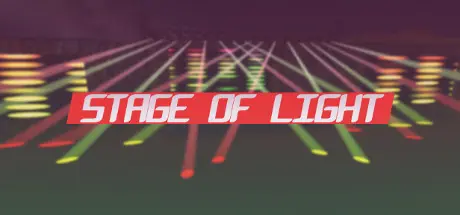
July 24Jul 24 Stage of Light Game DetailsRelease Name: Stage of LightGame Version: Build 15411140Release Date: 1 Apr, 2019Publisher: Realityocean GamesDeveloper: Realityocean GamesBased On: CSF & GoldbergStage of Light Direct Download - Game Overview Stage of Light is a lighting sandbox where you can build stages with procedural modelling tools and control both lights and stage structures with integrated DMX controllers.Every device in the game can be triggered with DMX signal.You can program them from DMX controllers and create nice light shows.Supports MIDI control. Anything from a simple MIDI keyboard to Launchpad grid controller and APC style controllers would work.It has plenty of options to support any MIDI device. It supports both MIDI keys and gradual input sources like faders and knobs on a MIDI device.Lights on your Launchpad or similar type of grid controllers can synchronized with playback information in DMX consoles in the game.19 lighting fixtures with different effects and capabilities.Fire machine with DMX control.7-axis industrial robot with 3 different size(can be controlled with DMX too).Ability to build stage trusses with almost any shape or size.A special stage builder system that helps you to erect a stage with a few clicks,if necessary resizes trusses when you move them around.Scaffolding truss builder system that allows you to the create scaffolding structures very easily.Video panel builder system which allows you to install huge video panels on scaffolding structures.Cube builder system to create stage floors or other interesting shapes.Position and Rotation snapping options for ease of use.Stage of Light Screenshots Stage of Light System Requirements Minimum RequirementsRecommended Requirements OSWindows 7/8.1/10 64-bitWindows 7/8.1/10 64-bit ProcessorDual Core 3.0 GhzQuad Core 3.0 Ghz Memory4 GB RAM8 GB RAM GraphicsGeForce GTX 750 Ti (2GB)GeForce GTX 1060 (6GB) DirectXVersion 11Version 11 Storage2 GB available space2 GB available space How to Install Stage of LightNo Installation Needed: The game is pre-installed. Just download and extract.Extract: Right-click the .zip or .rar file and select "Extract Here" or "Extract to folder".Run: Find StageOfLight.exe inside the folder and run it.Game Data & SettingsChange Language: Edit the file located at steam_settings/Configs.user.iniImportant NotesTo support the Game Developer, Get It On Steam.🔥DOWNLOAD AREA🔥🔹1.40 GB🔹Select the server you want to download with ZeiLink.Download





Create an account or sign in to comment