



Skip to content
View in the app

A better way to browse. Learn more.

ZeiGames

A full-screen app on your home screen with push notifications, badges and more.

To install this app on iOS and iPadOS
  1. Tap the Share icon in Safari
  2. Scroll the menu and tap Add to Home Screen.
  3. Tap Add in the top-right corner.
To install this app on Android
  1. Tap the 3-dot menu (โ‹ฎ) in the top-right corner of the browser.
  2. Tap Add to Home screen or Install app.
  3. Confirm by tapping Install.

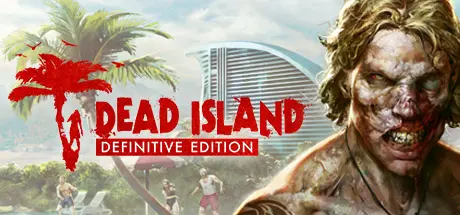
Dead Island Definitive Edition Free Download (Build 1837542 + Online)
Featured Replies

header.webp

Game Details

Release Name:ย Dead Island Definitive Edition

Game Version:ย Build 1837542

Release Date:ย 31 May, 2016

Publisher:ย Deep Silver

Developer:ย Techland

Based On:ย CSF & Goldberg

Dead Island Definitive Edition Direct Download - Game Review

The game that re-defined the zombie genre - fully remastered.

Welcome to the zombie apocalypse experience of a lifetime โ€“ and now more beautiful than ever. Caught in the midst of an epic zombie outbreak on the tropical island of Banoi, your only thought is:ย Survive!

Smash heads, crack skulls and slice โ€˜em up with visceral astounding melee combat and true story-based 4 player co-op in a sprawling open world just waiting for exploration.

  • Includes all previously released DLC!

  • Fully remastered:ย Experience Dead Island in crisp full HD with Improved graphics, game models and a photorealistic lighting system with physically based shading

  • Adrenaline-Fuelled Combat:ย Smash heads, crack skulls and slice โ€˜em up with the weapon of your choice in the visceral astounding melee combat

  • Seamless Coop Multiplayer:ย Collaborate with your friends, live through a story of the struggle for survival in a world gone mad

  • Discover the Island:ย Explore the island paradise; from the deserted city, secluded beaches and vast highlands โ€“ discover the story behind the zombie outbreak

  • Experience the atmosphere:ย Experience the dense atmosphere - feel the destruction, the horror and madness. Immerse yourself in the turmoil that is taking place on the Island.


Game Screenshots

screenshotย screenshotย screenshotย screenshot


Game Trailer


System Requirements

Minimum Requirements

Recommended Requirements

OS

Windowsยฎย 7 64-bit / Windowsยฎย 8 64-bit / Windowsยฎย 8.1 64-bit / Windowsยฎย 10 64-bit

Windowsยฎย 7 64-bit / Windowsยฎย 8 64-bit / Windowsยฎย 8.1 64-bit / Windowsยฎย 10 64-bit

Processor

Intelยฎย Coreโ„ขย i5-2500 @3.3 GHz / AMD FX-8320 @3.5 GHz

Intelยฎย Coreโ„ขย i5-4670K @3.4 GHz / AMD FX-8350 @4.0 GHz

Memory

4 GB RAM

8 GB RAM

Graphics

NVIDIAยฎย GeForceยฎย GTX 560 Ti / AMD Radeonโ„ขย HD 6870 (1GB VRAM)

NVIDIAยฎย GeForceยฎย GTX 780 / AMD Radeonโ„ขย R9 290 (2GB VRAM)

DirectX

Version 11

Version 11

Storage

10 GB available space

10 GB available space


Installation Guide

  1. No Installation Needed: The game is pre-installed. Just download and extract.

  2. Extract: Right-click theย .zipย orย .rarย file and select "Extract Here" or "Extract to folder".

  3. Run: Findย Launcher.exeย inside the folder and run it.

Multiplayer & Online (Optional)

  • Play Online: Download theย Online Fixย file and apply it to the game folder.

  • Please go to the online fix page and read the guide.

Game Data & Settings

  • Change Language: Edit the file located atย steam_settings/Configs.user.ini

Important Notes

๐Ÿ”ฅDOWNLOAD AREA๐Ÿ”ฅ

๐Ÿ”น7.04 GB๐Ÿ”น

Select the server you want to download with ZeiLink.

Download

Online Fix - (RAR pass: rexagames.com)

  • Views 161
  • Created
  • Last Reply

Posted Images

Create an account or sign in to comment

Recently Browsing 0

  • No registered users viewing this page.

Account

Navigation

Search

Search

๐Ÿ”Ž Search Tip
For exact results, search using "game name" .
Without quotes, results may include unrelated titles.

Configure browser push notifications

Chrome (Android)
  1. Tap the lock icon next to the address bar.
  2. Tap Permissions โ†’ Notifications.
  3. Adjust your preference.
Chrome (Desktop)
  1. Click the padlock icon in the address bar.
  2. Select Site settings.
  3. Find Notifications and adjust your preference.
