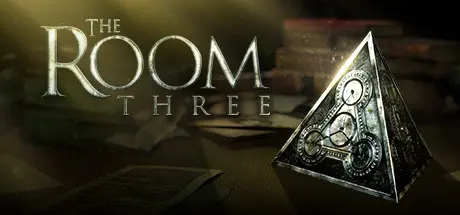
July 23Jul 23 The Room Three Game DetailsRelease Name: The Room ThreeGame Version: Build 20320199Release Date: 13 Nov, 2018Publisher: Fireproof GamesDeveloper: Fireproof GamesBased On: CSF & GoldbergThe Room Three Direct Download - Game OverviewThe Room Three continues the tactile puzzle-solving gameplay of its predecessors while considerably expanding the world for the player to explore. Once again, Fireproof Games have re-built, re-textured and re-lit every asset and environment to bring the mysterious world of The Room to life.In The Room Three you find yourself lured to a remote island, where you must draw upon all your puzzle-solving ability to navigate a series of trials devised by a mysterious figure known only as “The Craftsman”.Fireproof Games are a small independent team working in Guildford in the UK. We self-published our first game The Room on iPad in September 2012 and were stunned with both the critical success and our new-found fan-base, not to mention multiple international awards. The Room games have since changed our lives and we hope you enjoy playing them as much as we enjoyed making them.The Room Three Screenshots The Room Three TrailerThe Room Three System Requirements Minimum RequirementsRecommended Requirements OSWindows 7 or higher- Processor2.8 GHz Dual Core Processor- Memory4 GB RAM- GraphicsVideo card with 1024MB of VRAM- DirectXVersion 10- Storage4 GB available space- How to Install The Room ThreeNo Installation Needed: The game is pre-installed. Just download and extract.Extract: Right-click the .zip or .rar file and select "Extract Here" or "Extract to folder".Run: Find Launcher.exe inside the folder and run it.Game Data & SettingsChange Language: Edit the file located at steam_settings/Configs.user.iniSave Data Location: %USERPROFILE%/AppData/LocalLow/Fireproof Games/The Room ThreeImportant NotesTo support the Game Developer, Get It On Steam.🔥DOWNLOAD AREA🔥🔹2.13 GB🔹Select the server you want to download with ZeiLink.Download
August 17Aug 17 the game crashes after displaying the fireproof games splashscreen.Has anybody else faced this issue or fixed it?
August 17Aug 17 Author 6 minutes ago, JoelMiller said:the game crashes after displaying the fireproof games splashscreen.Has anybody else faced this issue or fixed it?I tested, working fine.
August 17Aug 17 3 minutes ago, DicDale said:I tested, working fine.all the other games in this series work fine (1,2 and 4), but this one opens steam. Then steam gives the 'no licenses' error Edited August 17Aug 17 by JoelMiller
August 17Aug 17 Author 1 minute ago, JoelMiller said:all the other games in this series work fine, but this one opens steam. Then steam gives the 'no license' errorYou need to read guide above download links.
August 17Aug 17 3 minutes ago, DicDale said:You need to read guide above download links.I'm sorry, I didn't read it and kept opening 'TheRoomThree.exe' instead of 'Launcher.exe'Thanks for helping meand thanks for the game too! Edited August 17Aug 17 by JoelMiller
August 17Aug 17 Author 14 minutes ago, JoelMiller said:I'm sorry, I didn't read it and kept opening 'TheRoomThree.exe' instead of 'Launcher.exe'Thanks for helping meand thanks for the game too!You're welcome. There may be different methods for other games. Always read the guide first, if that doesn't work, you can ask on game topic.





Create an account or sign in to comment