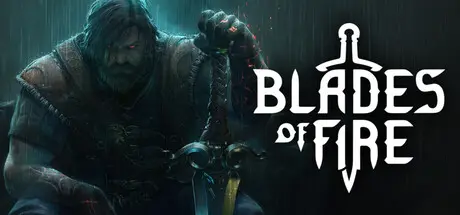
July 23Jul 23 Blades of Fire Game DetailsRelease Name: Blades of FireGame Version: v1.2.6.0Release Date: 14 May, 2026Publisher: 505 GamesDeveloper: MercurySteamBased On: RUNEBlades of Fire Direct Download - Game OverviewBlades of Fire is a dark fantasy adventure built on a single, uncompromising idea:Steel is Destiny.You are Aran de Lira, the last warrior capable of forging true steel in a world where metal turns to stone. Your journey is not about collecting weapons, but about forging them through intent, sacrifice, and consequence, and surviving long enough to master their weight.Combat is deliberate and unforgiving. Every strike commits you. Every mistake costs you. Victory is earned through patience, positioning, and understanding both your enemy and the blade you forged to face them.Blades of Fire Screenshots Blades of Fire TrailerBlades of Fire System Requirements Minimum RequirementsRecommended Requirements OSWindows 10Windows 10 ProcessorIntel core i5-3470 or AMD Ryzen 5 1400Intel Core i7-11700KF or AMD Ryzen 5800X Memory8 GB RAM16 GB RAM GraphicsNVIDIA GeForce GTX 960, 4GB or Radeon R9 380, 4GBNVIDIA GeForce RTX 4070 SUPER, 12GB or AMD Radeon RX 6800 XT, 16GB DirectXVersion 12Version 12 Storage54 GB available space54 GB available space How to Install Blades of FireNo Installation Needed: The game is pre-installed. Just download and extract.Extract: Right-click the .zip or .rar file and select "Extract Here" or "Extract to folder".Run: Find Start Game.bat inside the folder and run it.Important NotesTo support the Game Developer, Get It On Steam.🔥DOWNLOAD AREA🔥🔹49.40 GB🔹Select the server you want to download with ZeiLink.Download





Create an account or sign in to comment