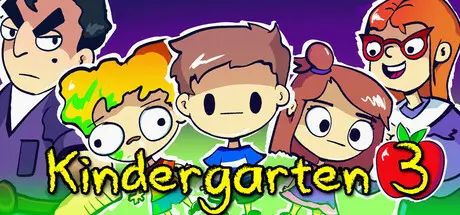
July 23Jul 23 Kindergarten 3 Game DetailsRelease Name: Kindergarten 3Game Version: v1.05 | Build 19248545Release Date: 18 Jun, 2025Publisher: SmashGamesDeveloper: Con Man Games, Sean YoungBased On: CSF & GoldbergKindergarten 3 Direct Download - Game OverviewWelcome to Kindergarten 3! It's now Wednesday and the kids have been sent to yet another new school filled with mystery and violence. Green goo is seeping out of every corner. The principal and other kids have gone missing. The teacher speaks only in rhyming songs and there's a gator in the pond. Typical kindergarten things. It's up to you to help everyone and figure out what's going on.Kindergarten 3 Screenshots Kindergarten 3 TrailerKindergarten 3 System Requirements Minimum RequirementsRecommended Requirements OSWindows 10- ProcessorIntel Core 2 Duo 2.1ghz or equivalent- Memory4 GB RAM- Graphics2nd Generation Intel Core HD Graphics (2000/3000) 512MB- DirectXVersion 9.0- Storage500 MB available space- How to Install Kindergarten 3No Installation Needed: The game is pre-installed. Just download and extract.Extract: Right-click the .zip or .rar file and select "Extract Here" or "Extract to folder".Run: Find Kindergarten3.exe inside the folder and run it.Game Data & SettingsChange Language: Edit the file located at steam_settings/Configs.user.iniSave Data Location: %USERPROFILE%/AppData/LocalLow/Con Man Games/Kindergarten3Important NotesTo support the Game Developer, Get It On Steam.🔥DOWNLOAD AREA🔥🔹70.20 MB🔹Select the server you want to download with ZeiLink.Download





Create an account or sign in to comment