



Skip to content
View in the app

A better way to browse. Learn more.

ZeiGames

A full-screen app on your home screen with push notifications, badges and more.

To install this app on iOS and iPadOS
  1. Tap the Share icon in Safari
  2. Scroll the menu and tap Add to Home Screen.
  3. Tap Add in the top-right corner.
To install this app on Android
  1. Tap the 3-dot menu (โ‹ฎ) in the top-right corner of the browser.
  2. Tap Add to Home screen or Install app.
  3. Confirm by tapping Install.

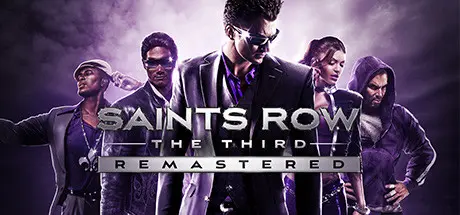
Saints Row: The Third Remastered Free Download (Build 7026541)
Featured Replies

header.webp

Game Details

Release Name:ย Saints Row: The Third Remastered

Game Version:ย Build 7026541

Release Date:ย 21 May, 2021

Publisher:ย Deep Silver

Developer:ย Deep Silver Volition, Sperasoft

Based On:ย CSF & Goldberg

Saints Row: The Third Remastered Direct Download - Game Review

Remastered with enhanced graphics, Steelport the original city of sin, has never looked so good as it drowns in sex, drugs and guns.
Years after taking Stilwater for their own, the Third Street Saints have evolved from street gang to household brand name, with Saints sneakers, Saints energy drinks and Johnny Gat bobblehead dolls all available at a store near you. The Saints are kings of Stilwater, but their celebrity status has not gone unnoticed. The Syndicate, a legendary criminal fraternity with pawns in play all over the globe, has turned its eye on the Saints and demands tribute.

Refusing to kneel to the Syndicate, you take the fight to Steelport, a once-proud metropolis reduced to a struggling city of sin under Syndicate control. Take a tank skydiving, call in a satellite-targeted airstrike on a Mexican wrestling gang, and fight against a highly-trained military force by your lonesome in the most outlandish gameplay scenarios ever seen.


Game Screenshots

screenshotย screenshotย screenshotย screenshot


Game Trailer


System Requirements

Minimum Requirements

Recommended Requirements

OS

Windows 10 (720p on Low Settings)

Windows 10 (1080p on High Settings)

Processor

AMD / Intel CPU, running at 3.4 GHz or higher: AMD FX 6000 series or Intel Core i5-3000 series or newer is recommended.

AMD / Intel processor running at 3.5 GHz (AMD FX 8000 series or Intel Core i5 4000 series or newer is recommended).

Memory

8 GB RAM

16 GB RAM

Graphics

AMD/NVIDIA dedicated graphic card, with at least 4GB of dedicated VRAM and with at least DirectX 11 and Shader Model 6.0 support: AMD Radeon 500 series or NVIDIA GeForce GTX 660 or newer.

AMD/NVIDIA dedicated graphic card, with at least 6GB of dedicated VRAM (or more) and with at least DirectX 11 and Shader Model 6.1 support. (AMD Radeon RX 5700 and NVIDIA GeForce GTX 1000 series or newer.

DirectX

Version 9.0

Version 9.0

Storage

25 GB available space

25 GB available space


Installation Guide

  1. No Installation Needed: The game is pre-installed. Just download and extract.

  2. Extract: Right-click theย .zipย orย .rarย file and select "Extract Here" or "Extract to folder".

  3. Run: Findย SRTTR.exeย inside the folder and run it.

Game Data & Settings

  • Change Language: Edit the file located atย steam_settings/Configs.user.ini

Important Notes

๐Ÿ”ฅDOWNLOAD AREA๐Ÿ”ฅ

๐Ÿ”น35.97 GB๐Ÿ”น

Select the server you want to download with ZeiLink.

Download

  • Views 6
  • Created
  • Last Reply

Posted Images

Create an account or sign in to comment

Recently Browsing 0

  • No registered users viewing this page.

Account

Navigation

Search

Search

๐Ÿ”Ž Search Tip
For exact results, search using "game name" .
Without quotes, results may include unrelated titles.

Configure browser push notifications

Chrome (Android)
  1. Tap the lock icon next to the address bar.
  2. Tap Permissions โ†’ Notifications.
  3. Adjust your preference.
Chrome (Desktop)
  1. Click the padlock icon in the address bar.
  2. Select Site settings.
  3. Find Notifications and adjust your preference.
