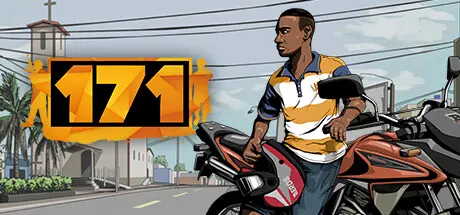
July 23Jul 23 171 Game DetailsRelease Name: 171Game Version: v0.5.203.180 | Build 18816446Release Date: 17 Nov, 2022Publisher: Betagames GroupDeveloper: Betagames GroupBased On: CSF & Goldberg171 Direct Download - Game Overview171 presents a vibrant city full of opportunities, allowing you to decide where to go and what to do in a broad environment inspired by typically Brazilian scenarios. Every detail and element in the setting have been carefully designed to provide a sense of familiarity to the player.More than 20 updates have already been carried out, each bringing new features and/or improvements to the game. While waiting for the development to be completed, you can enjoy regular updates that further enhance your gaming experience. In some of our recent updates, new features have been added, optimizations implemented, and themed updates released, such as Christmas and June party themes. We also expanded the number of vehicles, weapons, and clothing, and offered the possibility to customize motorcycles and weapons. Make sure to return regularly to participate in development by providing your valuable feedback.From humble neighborhoods to middle-class areas and regions with vegetation, all inspired by Brazilian cities, you will have the chance to explore a vibrant city full of honest and dishonest opportunities. Make your choices and carve your own path to conquer your space in this lively city!171 Screenshots 171 Trailer171 System Requirements Minimum RequirementsRecommended Requirements OSWindows 7 64 Bits Service Pack 1Windows 10 64 Bits ProcessorIntel Core i5 7400 / AMD Ryzen 5 1400Intel Core i5 9400f / AMD Ryzen 5 2600 Memory12 GB RAM16 GB RAM GraphicsNvidia GTX 1050 2GB / AMD RX 560 2GBNvidia GTX 1070 8GB / AMD RX 590 8GB DirectXVersion 11Version 12 Storage17 GB available space17 GB available space How to Install 171No Installation Needed: The game is pre-installed. Just download and extract.Extract: Right-click the .zip or .rar file and select "Extract Here" or "Extract to folder".Run: Find BGG.exe inside the folder and run it.Game Data & SettingsChange Language: Edit the file located at steam_settings/Configs.user.iniImportant NotesTo support the Game Developer, Get It On Steam.🔥DOWNLOAD AREA🔥🔹11.17 GB🔹Select the server you want to download with ZeiLink.Download





Create an account or sign in to comment