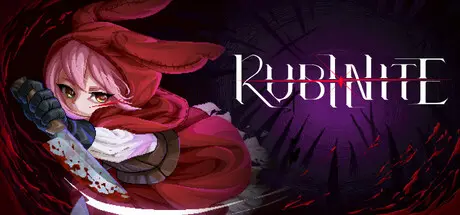
July 23Jul 23 Rubinite Game DetailsRelease Name: RubiniteGame Version: Build 24369995Release Date: 22 Jul, 2026Publisher: Cup Dog GamesDeveloper: Cup Dog Games, GameWorks VenturesBased On: CSF & GoldbergRubinite Direct Download - Game OverviewRubinite is a boss rush action game set in a dark fantasy world.The key to combat is one distinctive core mechanic: Focus. Use Focus to read an enemy, expose its weak point, and land a lethal strike.You play as Ruby, a princess on a journey of revenge to reclaim her home: The Scarlet Kingdom.Ruby’s blade alone will barely wound them. Find their weak points,drive the lethal strike home, and make it out alive.To take back the Scarlet Kingdom, Ruby must face the Bloodstained in every form they take,whether it be an ancient secret cult, undying parasites, or the source of a deadly plague.Grip your blade and challenge foes that grow deadlier with every step.Step into beautifully crafted pixelated scenes, where the poignancy and grandeur of the Scarlet Kingdom come alive in every hazardous battle.Rubinite Screenshots Rubinite TrailerRubinite System Requirements Minimum RequirementsRecommended Requirements OSRequires a 64-bit processor and operating systemRequires a 64-bit processor and operating system ProcessorAMD Athlon X4 | Intel Core i5 4460AMD Ryzen 3 | Intel i5 Skylake Memory8 GB RAM8 MB RAM GraphicsNvidia GTX 950 | AMD R7 370Nvidia GTX 970 | AMD RX 570 DirectXVersion 11Version 11 Storage10 GB available space10 GB available space How to Install RubiniteNo Installation Needed: The game is pre-installed. Just download and extract.Extract: Right-click the .zip or .rar file and select "Extract Here" or "Extract to folder".Run: Find Rubinite.exe inside the folder and run it.Game Data & SettingsChange Language: Edit the file located at steam_settings/Configs.user.iniSave Data Location: %USERPROFILE%/AppData/LocalLow/Cup Dog Games/Rubinite/ReleaseImportant NotesTo support the Game Developer, Get It On Steam.🔥DOWNLOAD AREA🔥🔹646 MB🔹Select the server you want to download with ZeiLink.Download





Create an account or sign in to comment