



Skip to content
View in the app

A better way to browse. Learn more.

ZeiGames

A full-screen app on your home screen with push notifications, badges and more.

To install this app on iOS and iPadOS
  1. Tap the Share icon in Safari
  2. Scroll the menu and tap Add to Home Screen.
  3. Tap Add in the top-right corner.
To install this app on Android
  1. Tap the 3-dot menu (โ‹ฎ) in the top-right corner of the browser.
  2. Tap Add to Home screen or Install app.
  3. Confirm by tapping Install.

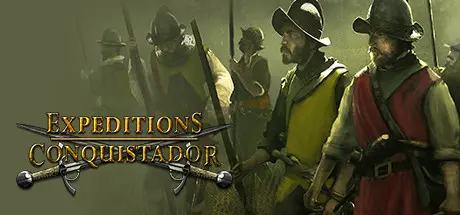
Expeditions: Conquistador Free Download (Build 1752467)
Featured Replies

header.webp

Game Details

Release Name:ย Expeditions: Conquistador

Game Version:ย Build 1752467

Release Date: 30 May, 2013

Publisher: THQ Nordic

Developer: Logic Artists

Based On:ย CSF & Goldberg

Expeditions: Conquistador Direct Download - Game Review

Conquer the New world: In the 16th Century, Spanish explorers and soldiers reached the shores of America. The search for gold, fame, and adventure drove these travelers into a treacherous wilderness where they faced hunger, disease, and dangerous predators. In their wake, the Aztec Empires lay in ruins.

Re-write the history of the Conquistadors: Forge diplomatic alliances with the natives... or crush the savages and bring civilization to the pagan tribes! Create an expedition of individual characters: Choose your followers wisely from over 30 characters, but be careful - they each have their own traits, opinions and moral standards.

Hunt for unimaginable riches and fight intense battles in the unforgiving jungle. In this turn based strategy RPG, a cunning plan is as vital as thoughtful resource management. Expeditions: Conquistador offers a rich storyline separated into two campaigns, challenging players throughout 25+ hours of gameplay. Strategy veterans as well as newbies will find their turn-based El Dorado!

  • Discover the New World! Travel to legendary locations in America, roam the jungle on the hunt for mystical temples as well as ancient ruins.

  • Create your own party of followers! Choose from more than 30 characters, train your recruits and lead them to battle. Coach them as they will develop from untrained recruits to fierce battlefield veterans.

  • Four highly customisable difficulty levels will challenge pros and newbies alike. But be warned: The Iron Man mode is a real beast!

  • Choice & Consequence: Use your skills to avoid hostility or, when diplomacy breaks down, adapt your tactics to highly varied terrains across more than 70 battlefields.

  • Challenge your friends to tactical PvP combat in either Hot Seat mode or via TCP/ICP.


Game Screenshots

screenshot screenshot screenshot screenshot


Game Trailer


System Requirements

Minimum Requirements

Recommended Requirements

OS

-

-

Processor

Dual Core 2.6 GHz or AMD64X2 2.6 GHz

Intel Core 2 Duo E8400 or higher, AMD Phenom X3 8750 or higher

Memory

2 GB RAM

4 GB RAM

Graphics

nVidia GeForce 8600 GT or higher, ATI Radeon X1800 or higher, min. 256 MB VideoRAM, Shader Model 3.0

nVidia GeForce 280 GTX or higher, ATI Radeon HD4870 or higher, 512 MB VideoRAM, Shader Model 3.0

DirectX

9.0c

9.0c

Storage

-

-


Installation Guide

  1. No Installation Needed: The game is pre-installed. Just download and extract.

  2. Extract: Right-click the .zip or .rar file and select "Extract Here" or "Extract to folder".

  3. Run: Find Expeditions: Conquistador.exe inside the folder and run it.

Game Data & Settings

  • Change Language: Edit the file located at steam_settings/Configs.user.ini

Important Notes

๐Ÿ”ฅDOWNLOAD AREA๐Ÿ”ฅ

๐Ÿ”น1.85 GB๐Ÿ”น

Select the server you want to download with ZeiLink.

Download

  • Replies 1
  • Views 229
  • Created
  • Last Reply

Top Posters In This Topic

Posted Images

Create an account or sign in to comment

Recently Browsing 0

  • No registered users viewing this page.

Account

Navigation

Search

Search

๐Ÿ”Ž Search Tip
For exact results, search using "game name" .
Without quotes, results may include unrelated titles.

Configure browser push notifications

Chrome (Android)
  1. Tap the lock icon next to the address bar.
  2. Tap Permissions โ†’ Notifications.
  3. Adjust your preference.
Chrome (Desktop)
  1. Click the padlock icon in the address bar.
  2. Select Site settings.
  3. Find Notifications and adjust your preference.
