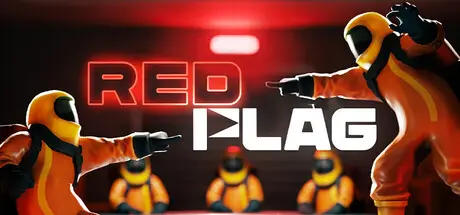
July 20Jul 20 RED FLAG Game DetailsRelease Name: RED FLAGGame Version: v0.1.2 | Build 24269838Release Date: 13 Jul, 2026Publisher: Red Flag TeamDeveloper: Red Flag TeamBased On: CSF & UnsteamRED FLAG Direct Download - Game OverviewA global catastrophe has struck the world. A small group of survivors has taken shelter in an isolated bunker, but there are not enough resources for everyone. Take your seat at the negotiation table and present yourself in a way that convinces the others that you deserve to stay.Lie, pressure, manipulate, and decide who gets thrown out.You find yourself sitting at a table with other survivors, from 4 to 12 players.Everyone has hidden information about their character: their pre-catastrophe profession, skills, phobias, and much more.At the beginning of the match, the system will explain the circumstances of the catastrophe and the group's current objectives inside the shelter.Keep this context in mind when making your case, as useful traits may affect the final outcome.During the first round, your profession is revealed along with several traits of your choice. Share your information wisely and explain why you deserve to remain in the shelter.Tell the truth, hide inconvenient details, or turn a useless trait into your greatest advantage.After everyone has revealed their information, players can argue, ask questions, and choose a candidate for elimination.Still Unsure?During the first round, players can vote to skip the elimination. Raise your hand before the timer runs out.If the elimination is skipped, two players will have to leave the shelter during the next round. If the majority does not support skipping, the readiness bar for the normal vote will appear.When the discussion ends, voting begins. Someone must leave the shelter.The remaining players continue until only half of the original group is left.You will need to watch not only the other players, but also the condition of the shelter. As the game progresses, its life-support systems gradually begin to fail.Every event changes the conditions of survival and can completely turn the game around!The rounds continue until the shelter reaches the permitted number of survivors.During the finale, the system determines whether the remaining group can survive. The outcome depends on the condition of the shelter, professions, skills, health, and even the traits players kept hidden.Getting into the shelter does not guarantee victory.And do not worry: even if you made the wrong choice, the cockroaches will survive anyway!!!RED FLAG Screenshots RED FLAG TrailerRED FLAG System Requirements Minimum RequirementsRecommended Requirements OSWindows 10/11Windows 10/11 ProcessorIntel Core i3-9300Intel Core i5-10400 Memory8 GB RAM16 GB RAM GraphicsNvidia GTX 960 4GBNvidia GTX 1070 8GB DirectXVersion 11Version 12 Storage3 GB available space3 GB available space How to Install RED FLAGNo Installation Needed: The game is pre-installed. Just download and extract.Extract: Right-click the .zip or .rar file and select "Extract Here" or "Extract to folder".Run: Sign in Steam Account and Find REDFLAG.exe inside the folder and run it.Important NotesTo support the Game Developer, Get It On Steam.🔥DOWNLOAD AREA🔥🔹1.20 GB🔹Select the server you want to download with ZeiLink.Download





Create an account or sign in to comment