



Skip to content
View in the app

A better way to browse. Learn more.

ZeiGames

A full-screen app on your home screen with push notifications, badges and more.

To install this app on iOS and iPadOS
  1. Tap the Share icon in Safari
  2. Scroll the menu and tap Add to Home Screen.
  3. Tap Add in the top-right corner.
To install this app on Android
  1. Tap the 3-dot menu (โ‹ฎ) in the top-right corner of the browser.
  2. Tap Add to Home screen or Install app.
  3. Confirm by tapping Install.

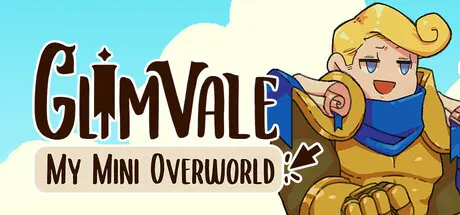
Glimvale : My Mini Overworld Free Download (v1.0.20 + Supporter Pack DLC)
Featured Replies

header.webp

Game Details

Release Name:ย Glimvale : My Mini Overworld

Game Version:ย v1.0.20 | Build 24181886

Release Date: 17 Jun, 2026

Publisher: Milkshake Games

Developer: Milkshake Games

Based On:ย CSF & Goldberg

Glimvale : My Mini Overworld Direct Download - Game Review

Glimvale is a peaceful idle game where your world continuously evolves. Build and decorate your own cosy MMO village in this relaxing city-builder where life goes on, even when youโ€™re away. Watch your village grow, fill with adventurers, and slowly transform into a lively fantasy haven at your own pace.

See your village flourish as adventurers arrive and make themselves at home.

Recruit skilled craftsmen, create places of entertainment, and build small dungeons while Paladins, Mages, and Thieves happily wander through your town. Train your adventurers, help them gain experience and gold, and live the adventurerโ€™s life they all deserve.

โ˜• A Latte Cafรฉ Tavern ? You got it !

๐Ÿ“š Book staircases ? Absolutely !

๐Ÿด A collection of fantastic mounts ? For sure !

๐Ÿฅ˜ Customisation for every building ? Yes !

Create a charming village where adventurers can craft items, cook delicious meals, collect mascots, and explore cosy dungeons. Decorate the environment freely, place small details, and design a welcoming world that feels truly alive and truly yours.

๐Ÿ’• Cosy idle city-builder with high replay valueย (Some clicker mechanics, with the chest and NPC quests)

๐Ÿ’• Create and customise your own adorable fantasy town with more than 300 decorations

๐Ÿ’• Manage buildings by customising their production

๐Ÿ’• A relaxing idle experience with no stress and no time limits

๐Ÿ’• Watch your village come to life (even offline) and build others adventurer villages as you progress


Game Screenshots

screenshot screenshot screenshot screenshot


Game Trailer


System Requirements

Minimum Requirements

Recommended Requirements

OS

Windows 7 (SP1+), 10 or 11

Windows10+

Processor

x86, x64 architecture

Intel Core i5-4690

Memory

4 GB RAM

8 GB RAM

Graphics

128MB, OpenGL 3+

Intel Core i5-4690

DirectX

-

-

Storage

2 GB available space

2 GB available space


Installation Guide

  1. No Installation Needed: The game is pre-installed. Just download and extract.

  2. Extract: Right-click the .zip or .rar file and select "Extract Here" or "Extract to folder".

  3. Run: Find Glimvale My Mini Overworld.exe inside the folder and run it.

Game Data & Settings

  • Change Language: Edit the file located at steam_settings/Configs.user.ini

  • Save Data Location: %USERPROFILE%/AppData/LocalLow/\MilkshakeGames\Glimvale My Mini Overworld

Important Notes

DLC List

Added DLCs

Glimvale : My Mini Overworld - Supporter Pack

๐Ÿ”ฅDOWNLOAD AREA๐Ÿ”ฅ

๐Ÿ”น137 MB๐Ÿ”น

Select the server you want to download with ZeiLink.

Download

  • Views 313
  • Created
  • Last Reply

Posted Images

Create an account or sign in to comment

Recently Browsing 0

  • No registered users viewing this page.

Account

Navigation

Search

Search

๐Ÿ”Ž Search Tip
For exact results, search using "game name" .
Without quotes, results may include unrelated titles.

Configure browser push notifications

Chrome (Android)
  1. Tap the lock icon next to the address bar.
  2. Tap Permissions โ†’ Notifications.
  3. Adjust your preference.
Chrome (Desktop)
  1. Click the padlock icon in the address bar.
  2. Select Site settings.
  3. Find Notifications and adjust your preference.
