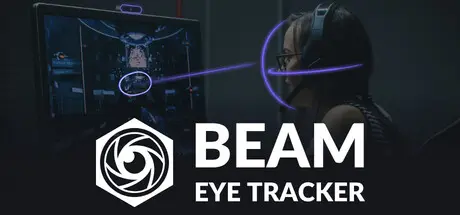
July 19Jul 19 Beam Eye Tracker Game DetailsRelease Name: Beam Eye TrackerGame Version: Build 21751992Release Date: 2 Aug, 2023Publisher: Eyeware Tech SADeveloper: Eyeware Tech SABased On: CSF & GoldbergBeam Eye Tracker Direct Download - Game OverviewLook around naturally with head and eye tracking in hundreds of PC games. No extra hardware. Works with your webcam or phone.Hands stay on the wheel or stick. The in-game camera tracks your head and eyes naturally.Sim racers track mirrors mid-corner. Flight pilots scan instruments mid-flight. Truckers and farmers watch the road, mirrors, and dashboard at a glance. Streamers share their gaze with viewers.Any standard webcam works, built-in or external. No webcam? Use your phone.A selection of compatible games across flight, space, racing, driving, trucking, farming, combat, FPS, and other simulator genres. The full game list is available on our websiteBeam Eye Tracker Screenshots Beam Eye Tracker TrailerBeam Eye Tracker System Requirements Minimum RequirementsRecommended Requirements OSWindows 10Windows 10 or 11 ProcessorIntel i5-4590 / AMD FX 8350 equivalent or greaterIntel Core i5-6600 / AMD Ryzen 5 1600 or better Memory500 MB RAM1 GB RAM Graphics-- DirectX-- Storage450 MB available space1 GB available space How to Install Beam Eye TrackerNo Installation Needed: The game is pre-installed. Just download and extract.Extract: Right-click the .zip or .rar file and select "Extract Here" or "Extract to folder".Run: Find BeamEyeTracker.exe inside the folder and run it.Game Data & SettingsChange Language: Edit the file located at steam_settings/Configs.user.iniImportant NotesTo support the Game Developer, Get It On Steam.🔥DOWNLOAD AREA🔥🔹303 MB🔹Select the server you want to download with ZeiLink.Download





Create an account or sign in to comment