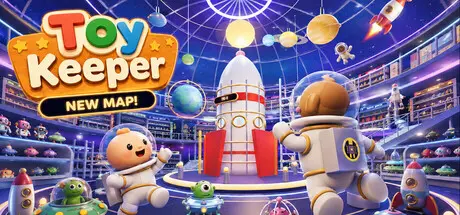
July 18Jul 18 Toy Keeper Game DetailsRelease Name: Toy KeeperGame Version: v0.1.1 | Build 24271016Release Date: 17 Jul, 2026Publisher: HeadArrowDeveloper: Pocket CollectorBased On: CSF & GoldbergToy Keeper Direct Download - Game OverviewA giant toy store. 2,694 toys out of place. One mission: put everything back where it belongs.In Toy Keeper, you'll explore a colorful three-story toy store filled with dinosaurs, robots, dolls, vehicles, blocks, plushies, and more. Pick up toys, sort them into their correct sections, and transform a mountain of chaos into a perfectly organized store.Earn coins as you clean and spend them on the Ball Machine, where every ball grants a new upgrade to help you organize faster and more efficiently.Thousands of tiny items, one very determined manager. Build order from toy-store chaos and keep every shelf under control.Choose upgrades like helper bots to automate the busywork and keep the store moving while you focus on bigger goals.Sort, place, and tidy every corner until the whole shop runs like a perfect little machine.Your smallest helper needs attention too. Keep the baby happy while the store gets busier around you.Move fast across multiple floors, discover new areas, and turn every level into a perfectly managed toy empire.Build your own playstyle with dozens of perks and abilities:Sprint fasterThrow objectsHighlight nearby toysAttract distant objectsCoin magnetObject magnetDouble, Triple, Quadruple, Quintuple, and Sextuple JumpJetpackWingsDirection beacon showing where items belongStorage boxes for transporting multiple toysPlace multiple nearby objects at onceHelper robots that organize toys for youMovement speed multipliersAnd many more surprisesToy Keeper Screenshots Toy Keeper TrailerToy Keeper System Requirements Minimum RequirementsRecommended Requirements OSWindows 10 (64 Bits)Windows 10/11 (64 Bits) ProcessorAMD FX-8320AMD Ryzen 5 3600 Memory4 GB RAM8 GB RAM GraphicsMSI Radeon R7 200 SeriesRTX 2060 or upper DirectX-- Storage500 MB available space500 MB available space How to Install Toy KeeperNo Installation Needed: The game is pre-installed. Just download and extract.Extract: Right-click the .zip or .rar file and select "Extract Here" or "Extract to folder".Run: Find toy-keeper.exe inside the folder and run it.Game Data & SettingsChange Language: Edit the file located at steam_settings/Configs.user.iniImportant NotesTo support the Game Developer, Get It On Steam.🔥DOWNLOAD AREA🔥🔹301 MB🔹Select the server you want to download with ZeiLink.Download





Create an account or sign in to comment