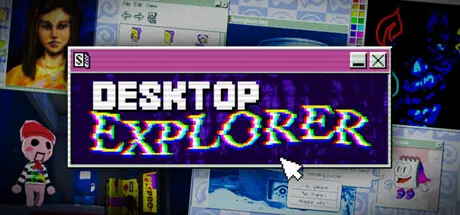
July 18Jul 18 Desktop Explorer Game DetailsRelease Name: Desktop ExplorerGame Version: v1.0.29 | Build 24279858Release Date: 17 Jul, 2026Publisher: Recurring Dream, Outersloth, indienovaDeveloper: Recurring DreamBased On: CSF & GoldbergDesktop Explorer Direct Download - Game OverviewYour uncle has given you his old PC as living inheritance. To your surprise, it still turns on! Inside, a letter tasks you with investigating a missing person’s case along with a mysterious puzzle game named Desktop Explorer. You’ll learn that your uncle wasn’t the only one who used this computer before, and that the program inside it has a deeper role in this 90s atmospheric digital mystery.Explore a 90’s operating system where every window hides a clue.Solve puzzles using classic OS tools like: file explorers, chat logs, and corrupted applications.Dig through abandoned software and forgotten files to uncover the truth.Experience a psychological horror mystery told through eerie interfaces and fragmented memories.Navigate immersive 3D environments rendered in retro-digital aesthetics.Listen to an original evocative soundtrack and nostalgic computer soundsPlay classic pre-installed computer gamesDesktop Explorer Screenshots Desktop Explorer TrailerDesktop Explorer System Requirements Minimum RequirementsRecommended Requirements OSWindows 7 SP1+ (or later)- ProcessorIntel or AMD Dual Core at 2 GHz or better- Memory2 GB RAM- GraphicsIntel Graphics 4400 or better- DirectXVersion 11- Storage400 MB available space- How to Install Desktop ExplorerNo Installation Needed: The game is pre-installed. Just download and extract.Extract: Right-click the .zip or .rar file and select "Extract Here" or "Extract to folder".Run: Find DesktopExplorer.exe inside the folder and run it.Game Data & SettingsChange Language: Edit the file located at steam_settings/Configs.user.iniSave Data Location: %USERPROFILE%/AppData/LocalLow/Recurring Dream/DesktopExplorer/de-gamedataImportant NotesTo support the Game Developer, Get It On Steam.🔥DOWNLOAD AREA🔥🔹546 MB🔹Select the server you want to download with ZeiLink.Download





Create an account or sign in to comment