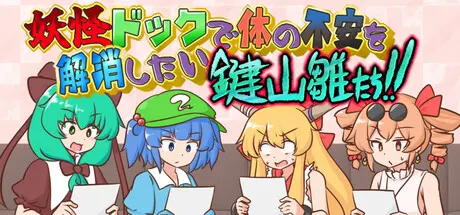
July 17Jul 17 妖怪ドックで体の不安を解消したい鍵山雛たち!! Game DetailsRelease Name: 妖怪ドックで体の不安を解消したい鍵山雛たち!!Game Version: v1.02 | Build 24183182Release Date: 16 Jul, 2026Publisher: ISYDeveloper: ISYBased On: CSF妖怪ドックで体の不安を解消したい鍵山雛たち!! Direct Download - Game Overview"Kagiyama Hina and Friends Want to Fix Their Health Check Results at the Yokai Clinic!" is a wordplay puzzle simulation game where you rewrite medical diagnoses by changing one character, adding one character, or deleting as many characters as you like.Your goal is to complete the diagnosis results for four characters led by the protagonist, Kagiyama Hina.This game is a fan-made derivative work based on the Touhou Project.For example, during a weight check, you might receive the result "underweight."If the game tells you to "Change it!", you can replace a single character to turn it into "overweight."Once you've created a valid word, a short scene related to your new diagnosis plays out, and the characters react to the result.If the challenge says "Add a character!" to the word "thin," you might create a completely different valid word or expression by inserting a single letter.Experiment with different combinations and try to create words that sound like real medical diagnoses. The more creative your solutions, the more unique conversations and character reactions you'll discover.妖怪ドックで体の不安を解消したい鍵山雛たち!! Screenshots 妖怪ドックで体の不安を解消したい鍵山雛たち!! Trailer妖怪ドックで体の不安を解消したい鍵山雛たち!! System RequirementsMinimum RequirementsRecommended RequirementsOSWindows11 64bit-Processor--Memory--Graphics--DirectX--Storage--How to Install 妖怪ドックで体の不安を解消したい鍵山雛たち!!No Installation Needed: The game is pre-installed. Just download and extract.Extract: Right-click the .zip or .rar file and select "Extract Here" or "Extract to folder".Run: Find HinaDock.exe inside the folder and run it.Important NotesTo support the Game Developer, Get It On Steam.🔥DOWNLOAD AREA🔥🔹71 MB🔹Select the server you want to download with ZeiLink.Download





Create an account or sign in to comment