



Skip to content
View in the app

A better way to browse. Learn more.

ZeiGames

A full-screen app on your home screen with push notifications, badges and more.

To install this app on iOS and iPadOS
  1. Tap the Share icon in Safari
  2. Scroll the menu and tap Add to Home Screen.
  3. Tap Add in the top-right corner.
To install this app on Android
  1. Tap the 3-dot menu (โ‹ฎ) in the top-right corner of the browser.
  2. Tap Add to Home screen or Install app.
  3. Confirm by tapping Install.

Aquanox Deep Descent Free Download (Build 6090685 + ALL DLC + Online)
Featured Replies

header.webp

Game Details

Release Name:ย Aquanox Deep Descent

Game Version:ย Build 6090685

Release Date: 16 Oct, 2020

Publisher: THQ Nordic

Developer: Digital Arrow

Based On:ย CSF & Goldberg

Aquanox Deep Descent Direct Download - Game Review

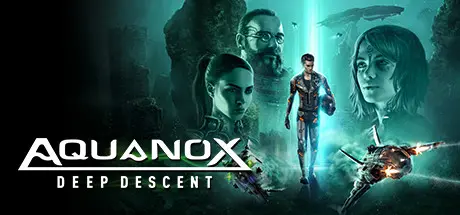
Aquanox Deep Descent is a first person underwater vehicle shooter, in which players control a variety of customizable ships to engage in fierce battles in the dystopian deep sea world of Aqua.

In the near future the Earth's surface has become uninhabitable. What remains of humankind lives in former mining and research stations, deep below the surface of the sea. Born and raised in the only world we know, the loose network of underwater settlements, torn by the war for resources and dominance between various factions.

Take control of a team of highly trained fighter pilots and experience an epic story in the dark world of Aquanox. Send your enemies down to Davy Jones' Locker with well-aimed torpedoes, shrapnel blasts, mines and more in a journey that takes you across the world's oceans and into the deepest trenches of our Earth.

  • Fight - Action-packed vehicle shooter combat that supports a wide variety of play styles ย 

  • Co-op - 4 player drop-in co-op, with four unique pilots who are all involved in the game story

  • Customize - Choose and upgrade your ships, making them fit your preferred playing style

  • Explore - Discover the deepest corners of the ocean

  • VPP - Classic multiplayer modes like Deathmatch and Team Deathmatch Dogfighting


Game Screenshots

screenshot screenshot screenshot screenshot


Game Trailer


System Requirements

Minimum Requirements

Recommended Requirements

OS

Windows 7 or higher (64 bit)

Windows 10

Processor

3.3 GHz or higher: AMD A8-6600K or Intel Core i7-950 or newer

AMD/INTEL 3.5 GHz (AMD Ryzen 5 1500x or Intel Core i5-6600K or newer)

Memory

8 GB RAM

8 GB RAM

Graphics

Direct3D 11, Shader Model 5.1 capable video card (GeForce GTX 560 2GB RAM or Radeon HD 7870 4GB RAM)

AMD/NVIDIA with at least 8 GB VRAM (Radeon RX 580 8GB or Nvidia GTX 1060 6GB)

DirectX

Version 11

Version 12

Storage

30 GB available space

30 GB available space


Installation Guide

  1. No Installation Needed: The game is pre-installed. Just download and extract.

  2. Extract: Right-click the .zip or .rar file and select "Extract Here" or "Extract to folder".

  3. Run: Find ANX.exe inside the folder and run it.

Multiplayer & Online (Optional)

  • Play Online: Download the Online Fix file and apply it to the game folder.

  • Please go to the online fix page and read the guide.

Game Data & Settings

  • Change Language: Edit the file located at steam_settings/Configs.user.ini

  • Save Data Location: %USERPROFILE%/AppData/Local/ANX/Saved/SaveGames/

Important Notes

DLC List

Added DLCs

Aquanox Deep Descent - Ultimate Digital Kickstarter Edition

Aquanox Deep Descent Digital Extras

๐Ÿ”ฅDOWNLOAD AREA๐Ÿ”ฅ

๐Ÿ”น12.24 GB๐Ÿ”น

Select the server you want to download with ZeiLink.

Download

Online Fix - (RAR pass: rexagames.com)

  • Views 533
  • Created
  • Last Reply

Posted Images

Create an account or sign in to comment

Recently Browsing 0

  • No registered users viewing this page.

Account

Navigation

Search

Search

๐Ÿ”Ž Search Tip
For exact results, search using "game name" .
Without quotes, results may include unrelated titles.

Configure browser push notifications

Chrome (Android)
  1. Tap the lock icon next to the address bar.
  2. Tap Permissions โ†’ Notifications.
  3. Adjust your preference.
Chrome (Desktop)
  1. Click the padlock icon in the address bar.
  2. Select Site settings.
  3. Find Notifications and adjust your preference.
