



Skip to content
View in the app

A better way to browse. Learn more.

ZeiGames

A full-screen app on your home screen with push notifications, badges and more.

To install this app on iOS and iPadOS
  1. Tap the Share icon in Safari
  2. Scroll the menu and tap Add to Home Screen.
  3. Tap Add in the top-right corner.
To install this app on Android
  1. Tap the 3-dot menu (โ‹ฎ) in the top-right corner of the browser.
  2. Tap Add to Home screen or Install app.
  3. Confirm by tapping Install.

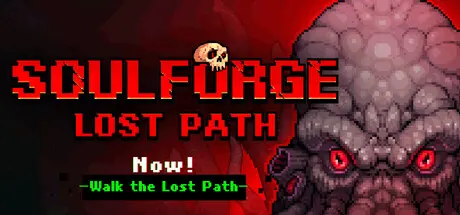
Soulforge Lost Path Free Download (Build 24201520)
Featured Replies

header.webp

Game Details

Release Name:ย Soulforge Lost Path

Game Version:ย Build 24201520

Release Date: 12 Jul, 2026

Publisher: YuetteGames

Developer: Ziyue

Based On:ย CSF & Goldberg

Soulforge Lost Path Direct Download - Game Review

Soulforge: Lost Path is a pixel-art RPG that combines rogue-like gameplay with inventory management. It features looting, combat, extraction, customizable weapon forging, and meta-progression. As Matilda, a lost child of Gaia, you will battle hordes of corrupted souls in the underworld, experience cathartic combat, collect Sacred Remains and Infernal Relics, strategically manage limited backpack space, forge your own exorcist artifacts, and ultimately uncover the truth behind the world's corruption.

In the underworld, relics left behind by fallen explorers can be seen everywhere. Do not waste themโ€”but beware, for the ever-present hordes of monsters will not let you open them undisturbed.But if you fall in battle, you too will rest as one of them.

In the underworld, defeat your foes, gather the Sacred Remains and Sword Embryos they drop, and forge the weapon you desireโ€”exactly as you envision it.Yet remember: even in the underworld, you may still lose the weapon in your grasp.

Your backpack capacity is crucial. Do not forget to search for Backpack Shards in the map to expand itโ€”this will allow you to carry more back with you, while also granting richer boons within the underworld.At times, the Tailor may even bestow enchanted magic upon your backpackโ€”thereโ€™s no need to hurry.

In the underworld, you will occasionally come across peculiar itemsโ€”some serve as crafting materials, while others can trigger wondrous changes to your spells. Take care not to lose them lightly, for you can transport them back using the mine carts that appear at regular intervals.

Hang onโ€”at least until the mine cart arrives.


Game Screenshots

screenshot screenshot screenshot screenshot


Game Trailer


System Requirements

Minimum Requirements

Recommended Requirements

OS

Windows 10 / 11๏ผˆ64ไฝ๏ผ‰

-

Processor

Intel Core i5 / AMD Ryzen 5 ๆˆ–ๆ›ด้ซ˜ ๅ†…ๅญ˜๏ผˆRAM๏ผ‰

-

Memory

16 GB RAM

-

Graphics

ๆ”ฏๆŒDX11ๆˆ–ไปฅไธŠ็š„็‹ฌ็ซ‹ๆ˜พๅก๏ผˆGTX 1060 ๆˆ–ๆ›ด้ซ˜๏ผ‰

-

DirectX

-

-

Storage

2 GB available space

-


Installation Guide

  1. No Installation Needed: The game is pre-installed. Just download and extract.

  2. Extract: Right-click the .zip or .rar file and select "Extract Here" or "Extract to folder".

  3. Run: Find ForgeRoguelike.exe inside the folder and run it.

Game Data & Settings

  • Change Language: Edit the file located at steam_settings/Configs.user.ini

  • Save Data Location: %USERPROFILE%/AppData/LocalLow/SoulForge

Important Notes

๐Ÿ”ฅDOWNLOAD AREA๐Ÿ”ฅ

๐Ÿ”น199 MB๐Ÿ”น

Select the server you want to download with ZeiLink.

Download

  • Views 449
  • Created
  • Last Reply

Posted Images

Create an account or sign in to comment

Recently Browsing 0

  • No registered users viewing this page.

Account

Navigation

Search

Search

๐Ÿ”Ž Search Tip
For exact results, search using "game name" .
Without quotes, results may include unrelated titles.

Configure browser push notifications

Chrome (Android)
  1. Tap the lock icon next to the address bar.
  2. Tap Permissions โ†’ Notifications.
  3. Adjust your preference.
Chrome (Desktop)
  1. Click the padlock icon in the address bar.
  2. Select Site settings.
  3. Find Notifications and adjust your preference.
