



Skip to content
View in the app

A better way to browse. Learn more.

ZeiGames

A full-screen app on your home screen with push notifications, badges and more.

To install this app on iOS and iPadOS
  1. Tap the Share icon in Safari
  2. Scroll the menu and tap Add to Home Screen.
  3. Tap Add in the top-right corner.
To install this app on Android
  1. Tap the 3-dot menu (โ‹ฎ) in the top-right corner of the browser.
  2. Tap Add to Home screen or Install app.
  3. Confirm by tapping Install.

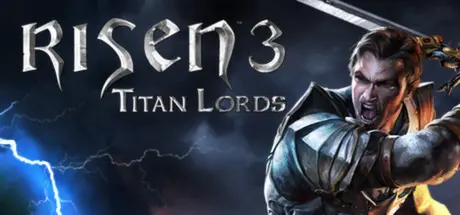
Risen 3 - Titan Lords Free Download (Build 710647 + ALL DLC)
Featured Replies

header.webp

Game Details

Release Name:ย Risen 3 - Titan Lords

Game Version:ย Build 710647

Release Date: 13 Aug, 2014

Publisher: THQ Nordic

Developer: Piranha Bytes

Based On:ย CSF & Goldberg

Risen 3 - Titan Lords Direct Download - Game Review

The world has been abandoned by its gods and is scarred from the rampage of the Titans. Humanity is struggling to regain strength and rally its forces. You, however, have more pressing concerns: your own life has been shattered and you must set off to reclaim what is lost amidst the darkness that is spreading throughout the world. Who knows, maybe you'll even save the world at the same time?

Three threads of destiny lie before you. Three ways to rise up against the Titans and regain your soul. Which path to take? The choice is yours.

Freedom: Freely explore and take on quests at your leisure. Quests will have different ways to tackle them and different outcomes. You can play different parts of the game in whatever order you wish and shape your character individually.

Exploration: Discover quests and characters as you make your way through the diverse world of Risen 3 - Titan Lords. From quaint medieval-style towns to delving deep into the dank dark of mines, to the supernatural shadow world, there is a wealth of possibilities waiting to be explored. You will be able to traverse this world in a variety of ways, from swimming to climbing.

Enhanced combat: Featuring a revamped fighting system, with new animation systems in place that add nuance to the fights.

Magic is back! Crystal magic has returned, bringing with it devastating new combat abilities. Wield elements such as lightning, fire and ice to obliterate your foes, or make use of a multitude of additional magical skills to aid you in exploration - the choice is yours!

Guilds & factions: Choose to ally yourself with one of three distinct guilds, each offering unique skills, armouries and quests allowing you to approach your quest in very different ways. Discover additional factions that exist to bend the balance of political power in the world, each with their own agenda for you to uncover. Be careful which characters you trust โ€“ some might ally with you with the intent of fulfilling their own sinister plans.


Game Screenshots

screenshot screenshot screenshot screenshot


Game Trailer


System Requirements

Minimum Requirements

Recommended Requirements

OS

Windows Vista SP2 , Windows 7 SP1 , Windows 8

Windows 7 (64-bit), Windows 8 (64-bit), Windows 10 (64-Bit)

Processor

2.4 GHz Dual Core Processor

Intel Core i5 at 2.5 GHz or better or AMD Phenom II x4 940 at 3.0 GHz

Memory

2 GB RAM

8 GB RAM

Graphics

Radeon HD 3850 or GeForce 9600 GT, VRAM 512MB

NVIDIA GeForce GTX 570 or AMD Radeon HD 5870, 1 GB VRAM

DirectX

Version 9.0c

-

Storage

8 GB available space

8 GB available space


Installation Guide

  1. No Installation Needed: The game is pre-installed. Just download and extract.

  2. Extract: Right-click the .zip or .rar file and select "Extract Here" or "Extract to folder".

  3. Run: Find system/Risen3.exe inside the folder and run it.

Game Data & Settings

  • Change Language: Move the language files on LANGUAGES folder to main game folder and Edit the file located at steam_settings/Configs.user.ini

  • Save Data Location: %USERPROFILE%/Saved Games/Risen3\

Important Notes

DLC List

Added DLCs

Risen 3: Uprising of the Little Guys

Risen 3: Fog Island (Risen 3 - Fog Island)

Risen 3: The Adventure Garb (Risen 3 - Adventure Garb)

๐Ÿ”ฅDOWNLOAD AREA๐Ÿ”ฅ

๐Ÿ”น15.79 GB๐Ÿ”น

Select the server you want to download with ZeiLink.

ALL Languages Included.

Download

  • Views 421
  • Created
  • Last Reply

Posted Images

Create an account or sign in to comment

Recently Browsing 0

  • No registered users viewing this page.

Account

Navigation

Search

Search

๐Ÿ”Ž Search Tip
For exact results, search using "game name" .
Without quotes, results may include unrelated titles.

Configure browser push notifications

Chrome (Android)
  1. Tap the lock icon next to the address bar.
  2. Tap Permissions โ†’ Notifications.
  3. Adjust your preference.
Chrome (Desktop)
  1. Click the padlock icon in the address bar.
  2. Select Site settings.
  3. Find Notifications and adjust your preference.
