



Skip to content
View in the app

A better way to browse. Learn more.

ZeiGames

A full-screen app on your home screen with push notifications, badges and more.

To install this app on iOS and iPadOS
  1. Tap the Share icon in Safari
  2. Scroll the menu and tap Add to Home Screen.
  3. Tap Add in the top-right corner.
To install this app on Android
  1. Tap the 3-dot menu (โ‹ฎ) in the top-right corner of the browser.
  2. Tap Add to Home screen or Install app.
  3. Confirm by tapping Install.

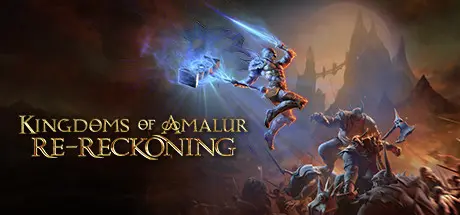
Kingdoms of Amalur: Re-Reckoning Free Download (v15032 + Fatesworn DLC)
Featured Replies

header.webp

Game Details

Release Name:ย Kingdoms of Amalur: Re-Reckoning

Game Version:ย v15032 | Build 10619381

Release Date: 8 Sep, 2020

Publisher: THQ Nordic

Developer: KAIKO, Big Huge Games, 38 Studios

Based On:ย CSF & Goldberg

Kingdoms of Amalur: Re-Reckoning Direct Download - Game Review

The hit RPG returns! From the minds of the bestselling author R.A. Salvatore, Spawn creator Todd McFarlane, and Elder Scrolls IV: Oblivion lead designer Ken Rolston, comes Kingdoms of Amalur: Re-Reckoning. Remastered with stunning visuals and refined gameplay Re-Reckoning delivers intense, customizable RPG combat inside a sprawling game world.

Uncover the secrets of Amalur, from the vibrant city of Rathir to the vast region of Dalentarth to the grim dungeons of the Brigand Hall Caverns. Rescue a world torn apart by a vicious war and control the keys to immortality as the first warrior ever to be resurrected from the grips of death.

  • Build the ideal character for the most intense combat, choosing from a countless combinations of skills, abilities, weapons and pieces of armor.

  • The revolutionary Destiny system allows you to continuously evolve your character class to your style of play.

  • Seamlessly integrate magical and melee attacks as you take on scores of enemies in grand fight sequences and finish them off with brutal Fateshift kills.

  • Extend your experience in Amalur with all DLC from the original release, from Teeth of Naros to Legend of Dead Kel and more!

  • Hundreds of hours of RPG play await! Travel from the vibrant city of Rathir, to the vast region of Dalentarth, and the grim dungeons of the Brigand Hall Caverns as you uncover the secrets of Amalur!

  • Explore deep levels of lore in a universe steeped in 10,000 years of fiction created by New York Times bestselling author R.A. Salvatore.

  • Rescue a world torn apart by a vicious war and control the keys to immortality as the first warrior ever to be resurrected from the grips of death.

  • Explore a sprawling game world hailed as having "more content than any single-player game deserves!"

  • Enjoy countless side quests rich in political intrigue, romance, sinister magic, and even whimsy - all central to the primary mission.

  • Improved graphical fidelity in Re-Reckoning.


Game Screenshots

screenshot screenshot screenshot screenshot


Game Trailer


System Requirements

Minimum Requirements

Recommended Requirements

OS

Windows 7, Windows, 8, Windows 10 (64 bit)

Windows 7, Windows, 8, Windows 10 (64 bit)

Processor

Intel or AMD Dual Core CPU 2.5 GHz

Intel or AMD Quad Core CPU 3 GHz

Memory

4 GB RAM

8 GB RAM

Graphics

DirectX 10 Feature Level AMD or NVIDIA Card with 1 GB VRAM

DirectX 11 Feature Level AMD or NVIDIA Card with 2 GB VRAM

DirectX

Version 11

Version 11

Storage

40 GB available space

40 GB available space


Installation Guide

  1. No Installation Needed: The game is pre-installed. Just download and extract.

  2. Extract: Right-click the .zip or .rar file and select "Extract Here" or "Extract to folder".

  3. Run: Find koa.exe inside the folder and run it.

Game Data & Settings

  • Change Language: Edit the file located at steam_settings/Configs.user.ini

Important Notes

DLC List

Added DLCs

Kingdoms of Amalur: Re-Reckoning - Fatesworn

๐Ÿ”ฅDOWNLOAD AREA๐Ÿ”ฅ

๐Ÿ”น42.62 GB๐Ÿ”น

Select the server you want to download with ZeiLink.

Download

  • Views 436
  • Created
  • Last Reply

Posted Images

Create an account or sign in to comment

Recently Browsing 0

  • No registered users viewing this page.

Account

Navigation

Search

Search

๐Ÿ”Ž Search Tip
For exact results, search using "game name" .
Without quotes, results may include unrelated titles.

Configure browser push notifications

Chrome (Android)
  1. Tap the lock icon next to the address bar.
  2. Tap Permissions โ†’ Notifications.
  3. Adjust your preference.
Chrome (Desktop)
  1. Click the padlock icon in the address bar.
  2. Select Site settings.
  3. Find Notifications and adjust your preference.
