



Skip to content
View in the app

A better way to browse. Learn more.

ZeiGames

A full-screen app on your home screen with push notifications, badges and more.

To install this app on iOS and iPadOS
  1. Tap the Share icon in Safari
  2. Scroll the menu and tap Add to Home Screen.
  3. Tap Add in the top-right corner.
To install this app on Android
  1. Tap the 3-dot menu (โ‹ฎ) in the top-right corner of the browser.
  2. Tap Add to Home screen or Install app.
  3. Confirm by tapping Install.

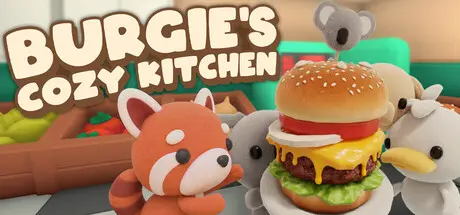
Burgie's Cozy Kitchen Free Download (Build 24148201 + Halloween DLC)
Featured Replies

header.webp

Game Details

Release Name:ย Burgie's Cozy Kitchen

Game Version:ย Build 24148201

Release Date: 10 Feb, 2025

Publisher: HeyNau

Developer: HeyNau

Based On:ย CSF & Goldberg

Burgie's Cozy Kitchen Direct Download - Game Review

Burgieโ€™s Cozy Kitchen is anย ACTIVE cozy desktop companion game where you run a wholesome burger stand that lives on your screen, trying to recreate a real burger joint where you can do other things during slowtimes while waiting for customers to arrive.

Serve customers, upgrade your kitchen, and watch your little burger shop grow at your own pace.

Play actively, or keep it running in the corner of your screen while you work, study, or watch YouTube. A bell will ring when new orders arrive, turning your breaks into something fun and satisfying.

๐Ÿ”ฅ Frenetic: Play actively with constant impatient picky customers.

โ˜• Relax: Minimize the game, attending to customers every 5-15 minutes, and brighten your day with short breaks.

๐Ÿ“š Pomodoro: Minimize the game, set the timer, and a new customer will notify you when it's time to take a break. Ideal as a gamified focus tool.

๐Ÿคฉ Streamer: Combine the chaos of the frenetic mode with your stream. Viewers can play through your livestream chat with a simple command and place the craziest order they can think of. They'll also complain if you mess up!


Game Screenshots

screenshot screenshot screenshot screenshot


Game Trailer


System Requirements

Minimum Requirements

Recommended Requirements

OS

Windows 64-bit: 7/8/10/11

-

Processor

Intel i3 2.4 GHz (or AMD equivalent)

-

Memory

4 MB RAM

-

Graphics

Intel HD 5000

-

DirectX

Version 11

-

Storage

100 MB available space

-


Installation Guide

  1. No Installation Needed: The game is pre-installed. Just download and extract.

  2. Extract: Right-click the .zip or .rar file and select "Extract Here" or "Extract to folder".

  3. Run: Find Burgies Cozy Kitchen.exe inside the folder and run it.

Game Data & Settings

  • Change Language: Edit the file located at steam_settings/Configs.user.ini

  • Save Data Location: %USERPROFILE%/AppData/LocalLow/HeyNau/Burgies cozy kitchen

Important Notes

DLC List

Added DLCs

Burgie's cozy kitchen - Halloween (Burgie's cozy kitchen - Halloween cosmetics pack)

๐Ÿ”ฅDOWNLOAD AREA๐Ÿ”ฅ

๐Ÿ”น208 MB๐Ÿ”น

Select the server you want to download with ZeiLink.

Download

  • Views 365
  • Created
  • Last Reply

Posted Images

Create an account or sign in to comment

Recently Browsing 0

  • No registered users viewing this page.

Account

Navigation

Search

Search

๐Ÿ”Ž Search Tip
For exact results, search using "game name" .
Without quotes, results may include unrelated titles.

Configure browser push notifications

Chrome (Android)
  1. Tap the lock icon next to the address bar.
  2. Tap Permissions โ†’ Notifications.
  3. Adjust your preference.
Chrome (Desktop)
  1. Click the padlock icon in the address bar.
  2. Select Site settings.
  3. Find Notifications and adjust your preference.
